
If you’ve spent any time around the tools lately, you’ve probably heard everyone talking about AI. Some swear it’s the future. Some reckon it’s overhyped. Others just want to know, “Can it actually help my business run smoother, or is it just another tech fad?”
The truth sits somewhere in the middle.
AI isn’t magic. It won’t fix a messy workflow. It won’t turn a bad process into a good one. And it won’t replace the skill and judgement of tradies who’ve spent years sharpening their craft.
But used the right way, AI can take a bunch of annoying tasks off your plate. It can help reduce double handling, speed up admin, cut back on repetitive jobs, and make day-to-day work just a little less stressful. Most importantly, it can help field service teams who are already stretched for time get more done with less mucking around.
This article breaks down exactly how to use AI in field service management, focusing on 12 practical use cases you could realistically introduce within a quarter. These aren’t moonshot ideas requiring a huge IT team. These are simple, achievable improvements that build on the systems you already rely on.
Before we dive in, there’s one important point:
AI works best when your business already has a digital foundation in place.
If your jobs, notes, photos, schedules and customers are spread across paper diaries, spreadsheets and inboxes, AI doesn’t have much to work with. That’s why job management software, like i4T Business, plays such an important early role. It centralises your workflows, making it easier to layer AI tools on top when you’re ready.
This guide is here to help you understand what’s possible, what’s coming, and what you can start planning today.
Let’s jump right in.
1. AI-Powered Work Order Summaries and Reports
Let’s start with one of the quickest wins.
Every job leaves a trail of notes, photos, checklists and back-and-forth messages. Pulling all of that together into a clean, professional summary can be time-consuming, especially at the end of a long day.
AI can tidy all of this into a clear summary or report, without changing the facts, so your office team, clients and techs are all on the same page.
Where it helps:
- End-of-day admin
- Client handover reports
- Warranty documentation
- Compliance reporting
AI is very good at turning messy information into clean writing. All you need is consistent data in one place. That’s it.
2. Smart Job Triage and Priority Suggestions
Every week brings more work requests than you’d like to admit. Some are routine. Some are urgent. Some can wait. Sorting these manually takes time, and mistakes happen.
AI can read incoming job requests, extract important details, and suggest:
- Priority level
- Job type
- The best technician to handle it
- Any safety considerations
It’s not about replacing judgement. It’s about giving your team a head start when sorting through dozens of requests a day.
3. Smarter Scheduling and Routing Hints
Schedulers often carry years of knowledge inside their heads; who’s closest, who’s qualified, who works fastest, who knows a site better than others. AI can help surface these insights instantly.
It can recommend:
- Available time slots
- Efficient routes
- Techs with the right skills
- Jobs that could be grouped together
You still approve everything. You’re still in control. AI simply acts like a smart assistant who remembers everything and never gets tired.
4. Drafted Quotes and Scope of Works
Quoting can be a pain. Whether you’re pricing electrical work, plumbing repairs, air con installs or anything in between, the admin adds up.
AI can take your job notes, site photos, voice memos, and, past quotes for similar work, and turn them into:
- A draft quote
- A basic scope of works
- Suggested materials
- Optional add-ons
Tradies still edit and approve. AI just gives you a starting point so you’re not typing from scratch.
5. On-Site Troubleshooting and Knowledge Search
Imagine standing on-site and asking a simple question like:
- “What usually causes this model to fail?”
- “What did we fix the last time we came here?”
- “Has another tech seen a similar fault recently?”
Instead of digging through emails or calling the office, AI can search your job history and guides in plain language.
This type of support can help, newer techs feel confident, experienced techs solve unusual issues faster, and reduce unnecessary return visits
6. Safety Documents and SWMS Drafting
Completing SWMS, risk assessments and method statements is essential, but let’s be honest, it’s repetitive and time-consuming.
AI can create a draft based on:
- Job type
- Location
- Hazards commonly associated with similar jobs
- Equipment involved
Your team reviews and tweaks before signing. No shortcuts. No compliance risk. Just less typing.
7. Customer Messages, Updates and Follow-Ups
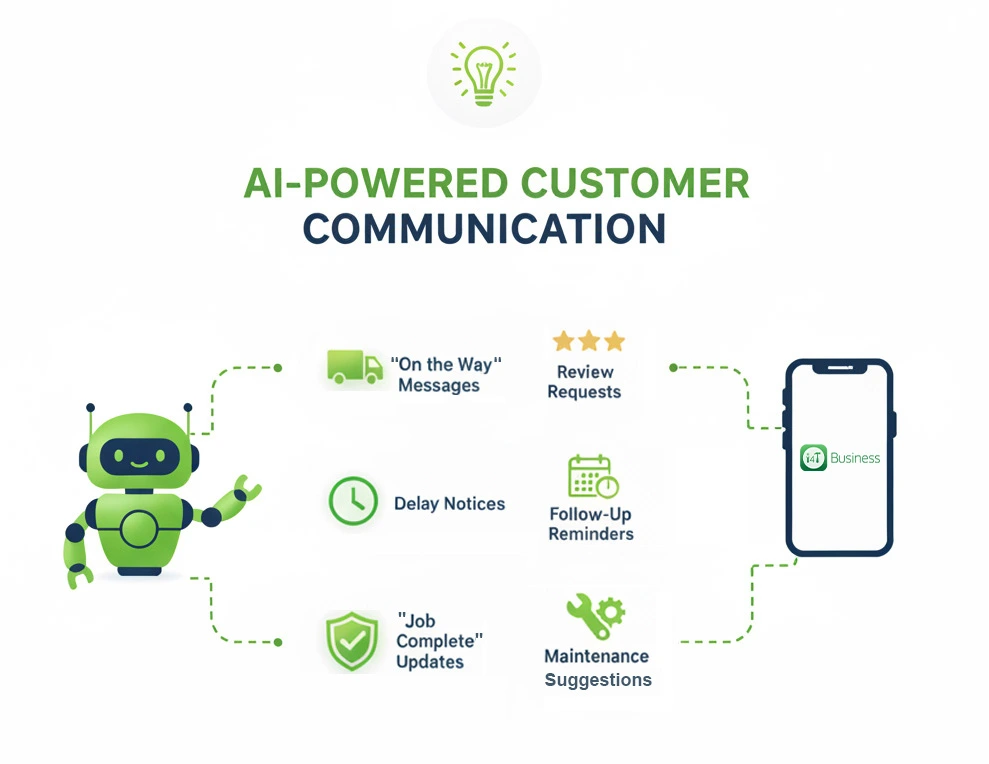
Keeping customers in the loop is one of the best ways to reduce complaints. AI can help draft:
- “On the way” messages
- Delay notices
- “Job complete” updates
- Review requests
- Follow-up reminders
- Maintenance suggestions
These can stay friendly and natural; your tone, your brand, just faster to send and easier to manage.
8. Parts, Materials and Inventory Suggestions
Running around for parts or discovering you’re out of stock mid-job slows everything down. AI can make suggestions based on what similar jobs required.
It can flag:
- Parts likely needed for upcoming jobs
- Items that are running low
- Common materials for specific job types
This doesn’t replace your inventory system; it just makes it smarter.
9. After-Job Insights and Upsell Opportunities
Once a job is complete, AI can analyse trends such as:
- How often has an asset failed
- Whether the customer has recurring issues
- What maintenance might prevent future breakdowns
This helps your business:
- Recommend relevant service plans
- Offer preventative maintenance
- Spot upsell opportunities without sounding pushy
- Improve asset tracking
It’s not about sales pressure. It’s about helping customers avoid future headaches.
10. Photo Analysis for Before/After and Compliance
Photos are essential in field service work, but sorting them can be annoying.
AI can:
- Identify before vs after photos
- Tag rooms, equipment and issues
- Highlight hazards
- Automatically choose the clearest shots for reports
This saves loads of admin time, especially for teams that take dozens of photos per job.
11. Voice-to-Text Notes That Make Sense
Many tradies prefer speaking to typing, especially on busy job sites.
AI can:
- Transcribe voice notes
- Clean them up
- Structure them logically
- Add headings
- Make them readable for office staff and clients
This helps build accurate histories of every job without slowing anyone down.
12. Training Content and Playbooks from Real Jobs
Every company has its own way of doing things. But documenting that knowledge? That’s where most teams struggle.
AI can help turn detailed job notes, photos, troubleshooting steps, and successful fixes, into:
- Simple training guides
- Quick-reference procedures
- “How we do things here” playbooks
This helps with onboarding, consistency and quality, especially as your business grows.
So… What Do You Need Before You Add AI?
AI sounds impressive, but under the hood it’s actually pretty simple: it looks at the information you already have and tries to find patterns, fill gaps and tidy things up.
If your information is scattered across paper notepads, WhatsApp chats, texts on someone’s personal phone, emails, and a dozen different spreadsheets, AI has nothing solid to work with. It’s like asking someone to build a house out of sand.
To get any real value from AI, you need a solid base. That doesn’t mean you need to be “100% digital” overnight. It just means putting a few key building blocks in place.
Let’s break them down.
Centralised Job Data
Centralised job data means that everything to do with a job lives in one place instead of being scattered.
That includes things like:
- Job details and descriptions
- Customer information and contact details
- Schedules, appointments and time slots
- Notes from the office and techs
- Photos, videos and attachments
- Asset details (where relevant)
When all of this is stored together in a single system, AI can actually “see” the full picture of what’s going on. It can connect the dots between past and present jobs, customers, sites and assets. Without this, you’ll only ever get patchy, half-useful results.
Consistent Workflows
AI loves patterns. Humans are pretty good at working things out, even when the process is messy; AI is not. If every staff member does things their own way, it’s much harder for AI to be useful.
Consistent workflows mean that:
- Jobs move through the same stages (for example: New → Scheduled → In Progress → Completed → Invoiced).
- People use the same status labels for the same situations.
- Everyone knows when and how to update a job.
When you do this, two good things happen. First, your business becomes easier to run because everyone is on the same page. Second, AI can quickly learn what “normal” looks like in your business and start making accurate suggestions or spotting issues.
You don’t need a complicated process map on the wall. You just need a clear, repeatable way of doing things that everyone actually follows.
Good Note-Taking Habits
You don’t have to write essays for every job, but some level of note-taking is non-negotiable if you want AI to help.
Good notes are short but specific, written in plain language and focused on what was found, what was done and what’s next
Even something as simple as three quick bullet points per job can go a long way.
If there are no notes at all, AI has nothing to work with, and your future self has no idea what actually happened.
A Job Management Platform
Think of a job management platform as the “digital backbone” of your field service business. It’s where jobs are created, assigned, updated and completed. It’s where schedules are managed, customers are stored, and histories are kept.
With a proper job management system, AI can later plug into:
- Your existing job data
- Your scheduling tools
- Your notes and photos
- Your customer and asset records
Instead of manually copying information into some separate AI tool, the AI features can live where your team already spends their time.
Team Buy-In
You can have the best tech in the world, but if the team isn’t on board, it won’t stick.
Team buy-in means your people understand:
- Why you’re changing the way you work
- How digital tools and, later on, AI will make their lives easier
- That AI is there to support them, not replace them
People are often wary of new tools because they’ve been burnt before by software that was clunky or made their job harder. It’s important to be honest about what you’re doing and involve them early. Listen to their feedback, make adjustments and give them time to get comfortable.
The Future of Field Service is Smarter, Not More Complicated
AI won’t replace tradies. It won’t take over your business. But it will make everyday tasks a whole lot easier if you lay the groundwork now.
To get the most out of AI tomorrow, you need:
- organised data
- consistent workflows
- a job management system that puts everything under one roof
That’s your first step toward practical, real-world AI benefits.
At i4T Business, we’re committed to building tools that match the real needs of tradies and field service teams across Australia. Getting your digital processes sorted today means you’ll be ready for whatever tomorrow brings.
If you’d like to take that first step, centralising your jobs, teams, schedules and customers, feel free to explore i4T Business and see how it fits into your workflow.
FAQs
No chance. AI can help with admin, planning and communication, but the hands-on skill of a qualified tradie isn’t going anywhere. AI is a tool, not a replacement.
Not at all. You just need consistent data. Even simple job notes and photos are enough for most real-world use cases.
Small teams often benefit the most because they have less admin support. Many AI tools are plug-and-play, making them easy for small businesses to adopt.
Start with something low-risk and high-impact, like AI-powered work order summaries or voice-to-text notes. These deliver instant time savings.
It’s highly recommended. AI needs a central place to access job data. If your information is scattered, AI becomes unreliable.
Hot off the press!