Key Takeaways
Job management software integrates various operations, simplifying workflows for trade businesses.
Real-time scheduling and dispatch features enhance responsiveness and service delivery.
Automated quoting and invoicing ensure accuracy and improve cash flow.
Mobile access allows tradies to manage tasks efficiently from the field.
Key Answer
Explore the essential features in job management software to streamline operations for Australian tradies. Prioritise scheduling, invoicing, and mobile access to enhance efficiency and grow your trade business.
Navigating the vast landscape of job management software can feel like stepping into a tool shed for the first time, overwhelming with countless options, each promising to revolutionise how you run your trade business. So, what features should you genuinely prioritise? Understanding the essential features of job management software can streamline your operations and make life a whole lot easier, especially for Aussie tradies and trade business owners.
In this guide, we’ll walk you through the must-have features and why they matter. Whether you’re an electrician in Melbourne or a plumber in Perth, these insights will help you choose software that fits like a glove.
What Does Job Management Software Actually Do?
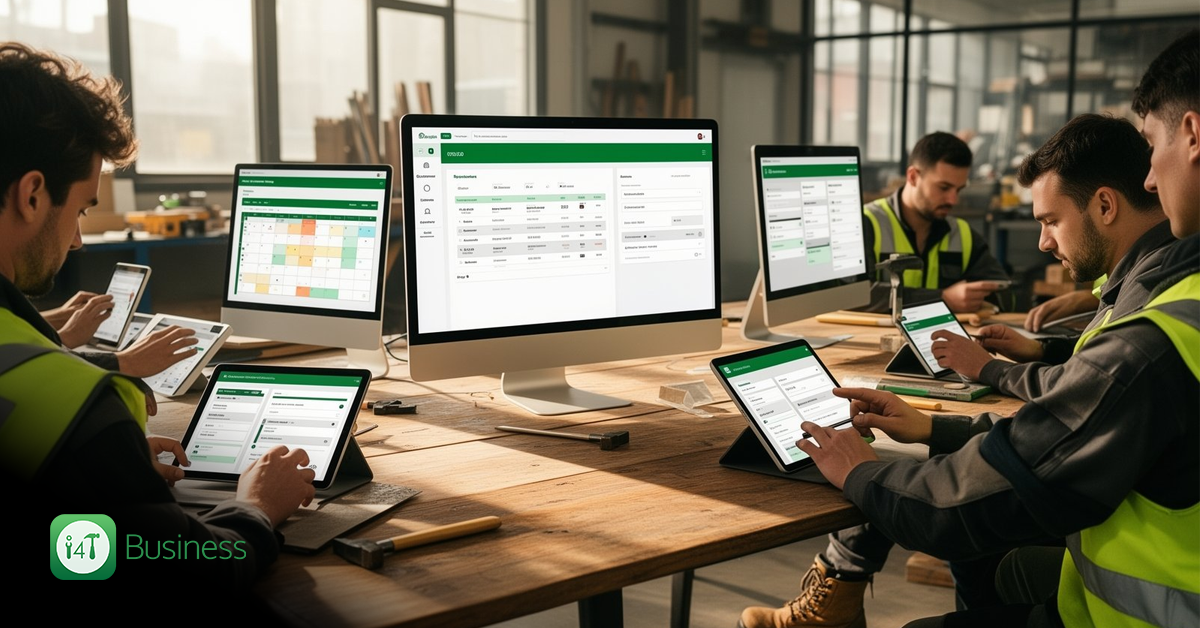
At its core, job management software acts as the operational backbone of a trade business, linking customer enquiries, scheduling, quoting, fieldwork, invoicing, and customer relations into one seamless process. By integrating these functions, it reduces the administrative load, allowing your team to focus more on delivering top-notch service to clients. You don’t need to juggle multiple tools, as everything is consolidated into a single platform.
Think of it as your digital Swiss army knife. From managing customer records to tracking job progress in real-time, job management software allows you to operate more efficiently, offering a complete snapshot of your business operations at any moment.
Job Scheduling and Dispatch
For tradies, time is money. Efficient scheduling and dispatching can significantly impact your bottom line by maximising productivity and reducing downtime. Job management software helps in allocating jobs to the right technicians based on availability, skills, and location. This means less travel time and more jobs done in a day.
Real-time scheduling features ensure that if there’s an emergency job in Marrickville or a last-minute change in Burleigh Heads, your team can respond quickly. The software can update schedules on the fly, keeping everyone in the loop and ensuring no task is overlooked. This not only improves service delivery but also enhances customer satisfaction.
Quoting, Invoicing and Payments
Accuracy in quoting and efficiency in invoicing are critical to maintaining healthy cash flow. Job management software can automate these processes, transforming quotes into jobs and then into invoices with minimal manual intervention. By using software, you ensure that no detail is missed, and you can easily follow up on unpaid invoices.
Furthermore, integrating payment gateways allows clients to pay invoices online, speeding up the payment process. This means you spend less time chasing invoices and more time focusing on growing your business. It’s a win-win situation, both for your cash flow and your clients who enjoy a seamless service.
Mobile Access for Tradies in the Field
Mobile access is a game changer for tradies working on-site. Having all the necessary job details at your fingertips means you can update job status, capture photos, and log time directly from your smartphone or tablet. This real-time data collection is critical for maintaining accurate records and ensuring that the office team is up-to-date with field activities.
The ability to access job details remotely also means that your team can be more flexible and responsive, offering better service to your customers. Whether it’s updating a job in the suburbs of Sydney or accessing customer details in Adelaide, mobile access ensures you stay connected, no matter where the job takes you.
Customer Records and Complete Job History
Keeping detailed records of your customers’ service history is vital for providing personalised service and fostering long-term relationships. With job management software, all customer interactions, past jobs, quotes, and invoices are stored in one place. This means your team can provide informed service without the need to dig through paper files or separate systems.
Having a comprehensive view of a customer’s history not only helps in delivering tailored services but also in identifying opportunities for upselling and cross-selling. For instance, knowing when a customer last had their air-conditioning serviced can prompt a timely follow-up, boosting both your service and your bottom line.
Job Updates, Photos, Forms and Documentation
Documentation is a crucial part of any trade service. Job management software allows you to capture job updates, photos, and complete forms on-site, ensuring that all project documentation is accurate and readily accessible. This feature is particularly useful for complying with local regulations and maintaining high service standards.
For example, tradies can take before and after photos of their work, which can be instantly uploaded and stored in the customer’s file. This not only provides a clear record for billing purposes but also enhances transparency and trust with clients.
Accounting Integrations and Business Reporting
A key feature of job management software is its ability to integrate with existing accounting systems. This ensures that all financial transactions, from job quotes to final invoices, are seamlessly recorded and managed. Integrations with systems like MYOB or Xero make it easy to manage your business’s financial health without manual data entry.
Additionally, job management software often includes robust reporting capabilities, providing insights into job profitability, technician performance, and overall business efficiency. These reports can help you make informed decisions, ensuring your business remains competitive and profitable.
How to Choose the Right Job Management Software
Choosing the right job management software isn’t just about ticking off a list of features. It’s about finding a tool that seamlessly integrates into your existing operations and grows with your business. Here are a few things to keep in mind:
Firstly, consider ease of use. If the software is too complicated, your team is less likely to use it effectively. Look for a system with a user-friendly interface that requires minimal training.
Secondly, think about scalability. As your business grows, your software should be able to handle an increased workload without becoming a bottleneck. This is crucial for businesses planning to expand their services or geographical reach.
Finally, ensure there is adequate support. Reliable customer service can make or break your experience with new software. Choose a provider known for their responsive support team.
In the end, the best job management software will be the one that improves your workflow and enhances usability without overwhelming you with unnecessary features. To experience firsthand how job management software can transform your business, start your free trial of i4T Business.
Frequently Asked Questions
Job management software streamlines various business processes, making it easier for tradies to manage scheduling, quoting, invoicing, and customer relationships, ultimately improving efficiency and service delivery.
When selecting job management software, consider its ease of use, scalability, integration capabilities, and the level of customer support provided by the vendor.
Yes, most job management software can integrate with popular accounting systems like MYOB and Xero, ensuring seamless management of financial transactions.
Absolutely, mobile access allows tradies to manage job details, capture photos, and update job status on-site, enhancing flexibility and real-time communication.
By automating quoting and invoicing processes, job management software reduces manual errors and delays, ensuring quicker payment cycles and better cash flow management.