

Key Takeaways
Professional job quotes reflect your business’s expertise and transparency.
Quoting software optimises accuracy and efficiency in creating job quotes.
Pricing jobs accurately is essential for profitability and client satisfaction.
Following up on quotes increases acceptance rates and demonstrates professionalism.
Key Answer
Learn how to write a quote for a job that stands out with our guide focused on quoting software and job management software to streamline your business processes.
In today’s competitive service industry, knowing how to write a quote for a job is crucial for securing work and ensuring your business’s success. Whether you’re a plumber, electrician, or handyman, mastering the art of quoting can set you apart from the competition. This guide will walk you through the essential steps to create professional job quotes that win clients and optimise your operations with quoting software.
Why Professional Job Quotes Matter
Professional job quotes are more than just numbers on a page; they’re your first opportunity to make a strong impression with potential clients. A well-crafted quote showcases your professionalism, expertise, and attention to detail, which can significantly influence a client’s decision to hire you. It’s not just about stating the price; it’s about communicating the value and scope of your services clearly.
Using quoting software ensures consistency and accuracy in your quotes, helping you maintain a strong brand image. A professional quote acts as a strategic sales tool that establishes trust and sets the tone for the entire project. By presenting a clear and concise proposal, you demonstrate your organisational skills and commitment to transparency.
What Every Job Quote Should Include
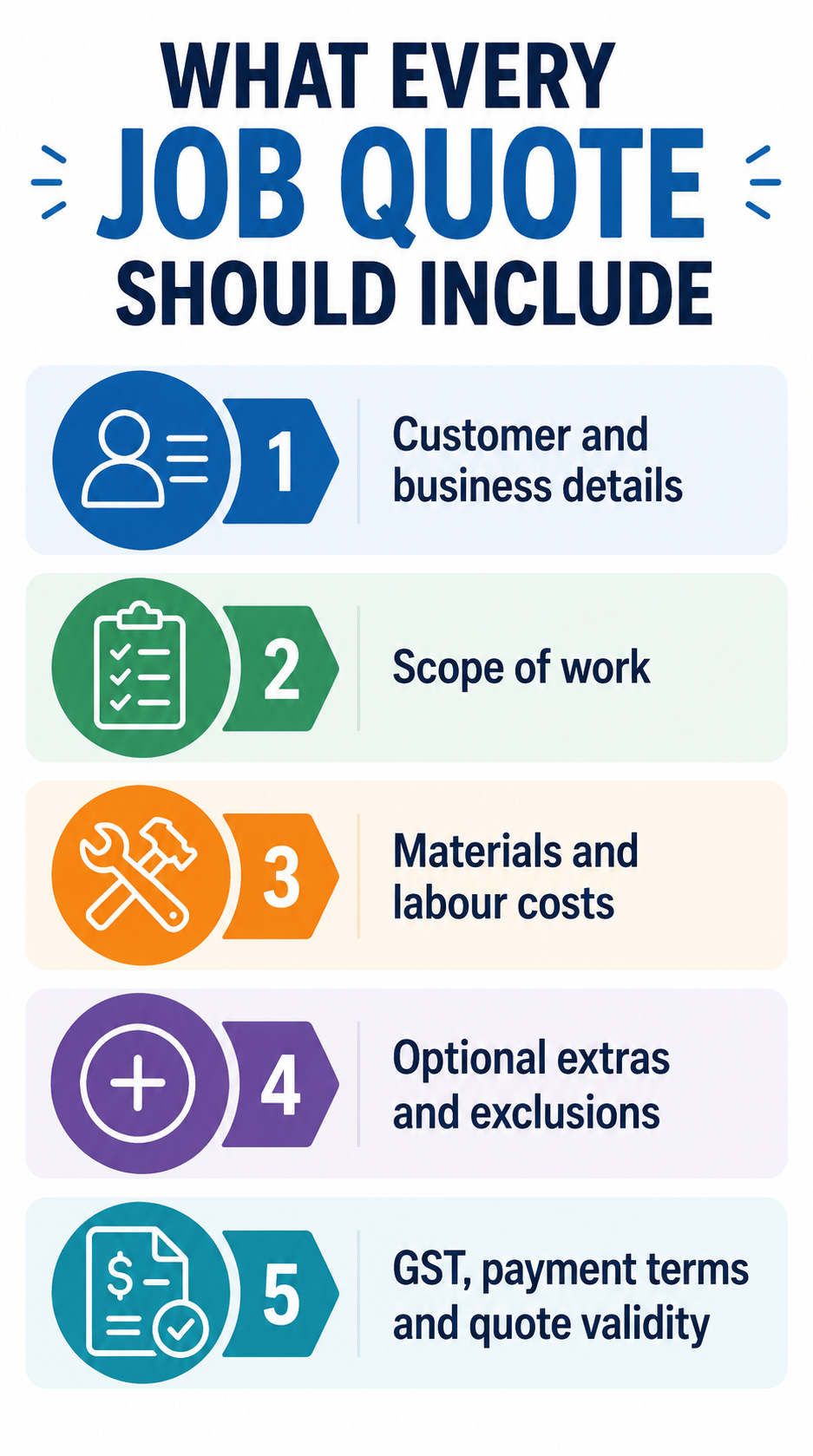
Every effective job quote should be comprehensive and informative. Essential components include a detailed description of the work to be performed, materials needed, and any potential contingencies. Don’t forget to include a timeline for project completion and clear terms of payment to avoid misunderstandings down the line.
Incorporating these details not only informs the client about what to expect but also protects your business from scope creep. Using job management software can streamline this process by providing templates that ensure you cover all necessary aspects of a quote. This level of detail reflects your professionalism and can be the deciding factor for clients when choosing between multiple service providers.
How to Price a Job Accurately
Accurate pricing is crucial for maintaining profitability and client satisfaction. Start by assessing the scope of work thoroughly. Consider all potential costs, including labour, materials, equipment, and any subcontractors you might need. It’s wise to factor in a buffer for unforeseen expenses to prevent any financial shortfalls.
Utilising quoting software can simplify this process. These tools often come with built-in calculators that help you evaluate costs accurately. By automating parts of the pricing process, you minimise errors and save time, allowing you to focus on delivering quality service. Pricing a job accurately not only ensures you’re compensated fairly but also builds trust with your clients as they see transparency in your billing.
Step-by-Step: How to Write a Professional Quote
Creating a professional quote involves several key steps. Begin by gathering all relevant information about the job, including client requirements and specific details about the site. Next, prepare a detailed scope of work. This should outline what the job will entail, including timelines and deliverables.
Once you’ve outlined the scope, calculate your costs using the previously mentioned pricing strategies. Make sure to include terms and conditions that cover payment schedules, warranties, and any exclusions. Finally, present your quote in a polished format. Quoting software can assist here by offering professional templates and ensuring that all necessary components are included. Always double-check for accuracy before sending it to the client.
Hourly vs Fixed-Price Quotes
Deciding between hourly and fixed-price quotes can be challenging, but it largely depends on the nature of the job and the client’s preferences. Hourly quotes are suitable for projects with uncertain scope, allowing flexibility as the job progresses. However, they require meticulous tracking of hours worked, which can be efficiently managed with job management software.
On the other hand, fixed-price quotes provide clear financial expectations for both parties. They are ideal for straightforward jobs with well-defined parameters. Fixed pricing can often appeal to clients who prefer knowing the total cost upfront. Consider the job specifics and client needs when deciding on the quote type. The right choice can impact client satisfaction and the overall success of the project.
Common Quoting Mistakes to Avoid
Even experienced tradies can make mistakes in their quoting process. One common error is underestimating the time required to complete a job, leading to lower profitability and client dissatisfaction. Another mistake is neglecting to include all necessary details, which can result in misunderstandings or disputes later on.
Failing to follow up on quotes is another significant oversight. A quick follow-up can be the difference between winning a job and losing it. Implementing a system to track and follow up on quotes can dramatically improve your conversion rates. Leveraging quoting software can help avoid these pitfalls by providing a structured approach to creating and managing quotes.
Best Practices for Creating Quotes That Get Accepted
To boost the acceptance rate of your quotes, ensure they are clear, detailed, and professional. Begin by understanding the client’s needs and tailor your proposal accordingly. Use straightforward language to prevent any confusion and provide a breakdown of costs to justify pricing.
Providing options can also enhance acceptance rates. Consider offering tiered pricing options, such as basic, standard, and premium packages. This not only caters to different budget ranges but also empowers clients with choice. Consistent follow-up is essential. Use reminders to stay on top of leads and respond promptly to client inquiries. Finally, always be open to feedback and continuously refine your quoting process. This adaptive approach can significantly increase your chances of securing jobs.
How Quoting Software Saves Time and Wins More Work
Quoting software is a game-changer for service pros aiming to streamline their business processes. By automating many aspects of the quoting process, you can save considerable time and reduce human error. These tools enable you to quickly generate quotes, manage revisions, and track accepted jobs all in one place.
Moreover, quoting software often comes as part of the bigger job management software like i4T Business, enhancing your ability to oversee projects from start to finish. This integration means you can handle scheduling, invoicing, and payments seamlessly. By utilising these digital tools, you increase your operational efficiency, allowing you to focus more on growing your business and less on administrative tasks.
Ready to give i4T Business a try? Book a demo today.
Frequently Asked Questions
Quoting software streamlines the quoting process, reduces errors, and integrates with job management software for seamless project handling.
Ensure thorough job assessment, factor in all potential costs, and consider using quoting software to accurately calculate expenses.
It depends on the project scope and client preferences. Hourly quotes offer flexibility, while fixed-price quotes provide clear cost expectations.
Follow-ups are crucial for conversion. They show professionalism and can significantly increase the likelihood of quote acceptance.
Yes, by providing accurate, professional quotes quickly, you increase your chances of securing jobs and leave a positive impression.