

TL;DR
To use AI safely for prioritising work orders:
- Create a non-negotiable “safety trigger” layer that buckets work orders into priority levels (P1–P4). AI cannot downgrade anything that hits a trigger.
- Use AI only to rank jobs inside a bucket, using approved operational factors like time windows, travel time, skills/licensing, and parts ETA.
- Require human sign-off for high-risk categories and keep an audit trail. This “roles + oversight” approach matches mainstream AI risk guidance.
If the work order is vague, AI must output “Needs triage” and ask for the missing details; not guess.
If you’ve ever opened your inbox at 7 am and felt like every second work order is “urgent”, you’re not alone. The tricky part isn’t getting more jobs; it’s deciding what gets done first without missing something dangerous, non-compliant, or business-critical.
AI can help a lot here. But the safe way to do it is not let AI run the schedule.
The safest approach is: Rules first. AI second. Humans stay responsible.
That’s not just common sense; it lines up with how WHS risk management is meant to work in Australia: you aim to eliminate risk, and if you can’t, you minimise it, so far as is reasonably practicable, using a structured risk process.
This article gives you a practical method, plus prompts and examples, to answer: how to use AI to prioritise work orders while keeping safety and accountability front and centre, especially if you’re exploring AI and automations in orders.
What “safe prioritisation” means in a trade business
Most scheduling chaos comes from mixing two very different problems:
Problem A: Safety and compliance triage
Is this a hazard? Can it cause injury, fire, flooding, gas exposure, property damage, or critical service failure? If yes, or if you can’t tell, it needs a controlled response.
Problem B: Efficient scheduling
Once jobs are clearly non-emergency or already safely bucketed, you want to run the day efficiently: fewer kilometres, better time windows, the right tech for the right job, and fewer return visits.
AI can be brilliant at Problem B. It can also assist with Problem A, only if your rules are explicit and you don’t let it freestyle.
Safe Work Australia’s WHS describe risk management as identifying hazards, assessing risks, implementing controls, and reviewing whether controls remain effective. That’s basically what you’re doing here, just applied to work orders.
The “Rules first, AI second” framework
Layer 1: Hard rules decide the bucket
You define the priority buckets and the triggers that force a minimum priority. This layer is deterministic and easy to audit.
Layer 2: AI ranks inside the bucket
AI sorts jobs within a bucket using factors you approve (not vibes). This is where you get speed and consistency without risking safety.
This structure also matches what many AI governance frameworks push: define responsibilities, keep oversight, and make outputs contestable.
Step 1: Choose a simple priority ladder
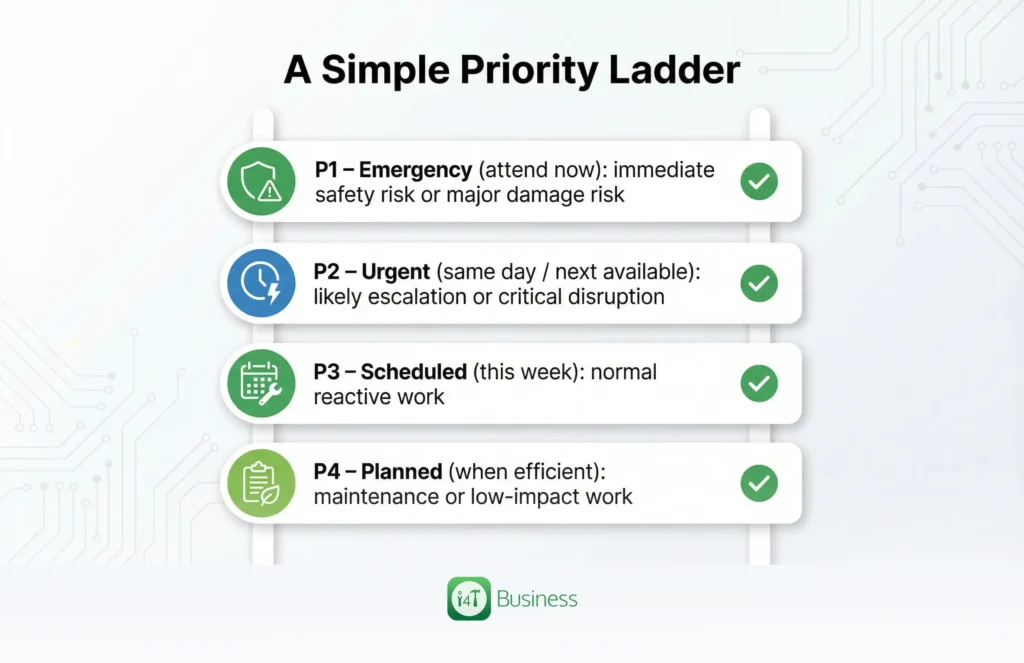
You want something that every admin, dispatcher, and tech can interpret the same way. Here’s a plain version you can use as-is:
P1 – Emergency (attend now): immediate safety risk or major damage risk
P2 – Urgent (same day / next available): likely escalation or critical disruption
P3 – Scheduled (this week): normal reactive work
P4 – Planned (when efficient): maintenance or low-impact work
If you already have labels, keep them; just make sure each level has a shared definition.
Step 2: Build your Safety Trigger List
This is the most important thing you’ll do. A safety trigger list stops AI from downgrading dangerous jobs and stops humans from accidentally treating hazards like “regular bookings”.
Write your triggers the way tradies actually speak, because that’s how work orders arrive.
A few common examples by trade (use as a starting point, then tailor to your business):
Electrical: burning smell, sparking, hot switchboard, exposed conductors, repeated tripping with heat/smell
Plumbing: uncontrolled leak, water through the ceiling, burst pipe with no isolation, sewage overflow
Gas / HVAC: gas smell, suspected leak, CO alarm, ventilation failure in enclosed area
Fire & safety: systems impaired, panel faults affecting protection, essential alarms offline
Site hazards: flooding, unsafe access, suspected structural risk
Two rules keep this safe:
- If a trigger is present, it sets a minimum priority. AI can upgrade, never downgrade.
- If trigger status is unknown, the job becomes Needs triage until someone confirms details.
This mindset is straight out of standard WHS risk practice.
Step 3: Make work orders “AI-ready”
AI prioritisation fails when the work order is basically: “urgent pls”.
You don’t need a 40-field form. You do need a consistent core set of inputs so AI can classify without guessing.
Aim for job type, problem summary, safety trigger status (yes/no/unknown), customer impact, site type, access window, suburb, and any photos/notes. When you capture those consistently, AI becomes a fast sorter, not a confident guesser.
The Safety Rules
Instead of a giant bullet list, here are the rules in “SOP style”. You can literally paste these into your operations doc.
Rule 1: Safety triggers override everything.
If a work order hits a safety trigger, it cannot be downgraded by AI or by “schedule pressure”. Your process must reflect that you’re minimising risk so far as reasonably practicable.
Rule 2: AI is decision-support, not the decision-maker.
AI may recommend a bucket and a sequence, but a person owns the decision, especially for P1 and P2. AI governance frameworks emphasise clear roles and oversight in human-AI setups for exactly this reason
Rule 3: No guessing from vague notes.
If key details are missing, AI must output “Needs triage” and ask questions. Your dispatcher then collects facts and re-runs the triage.
Rule 4: Every recommendation must include a short reason.
If AI can’t explain why, based only on the provided inputs, you don’t use the recommendation. Reasons make reviews and training much easier.
Rule 5: Keep a paper trail.
Log what came in, what AI suggested, and what you decided. This is how you spot patterns and improve.
Rule 6: Be careful with customer data.
If you’re using commercial or publicly available AI tools, treat personal information as personal information. The OAIC notes privacy obligations can apply to personal information put into AI systems, including when using commercially available tools.
What AI should do, and what it shouldn’t
AI works best when it does the time-sucking brain jobs: summarising, sorting, highlighting gaps, and suggesting a sequence. It becomes risky when it starts inventing context.
AI can safely help you:
- Rewrite messy notes into a clear one-line job summary
- Detect missing info
- Recommend a priority based on your triggers
- Rank P3/P4 jobs to reduce travel and meet time windows
AI must never:
- Invent hazards, compliance requirements, parts, or diagnoses you didn’t provide
- Downgrade safety trigger jobs
- Auto-dispatch high-risk jobs without approval
How the rules and AI output look in real life
Example 1: Electrical – “burning smell near switchboard”
A customer writes: “Burning smell near the switchboard. Lights flickering.” That hits an electrical safety trigger immediately. The safe outcome is that AI returns P1, gives a short reason (burning smell + flicker = potential hazard), and suggests the next step (dispatch licensed sparky ASAP). It may ask a couple of factual questions (smoke? heat? can they isolate power safely?), but it does not waste time debating priority.
This is exactly why you keep the trigger list: it removes ambiguity when you’re under pressure.
Example 2: Plumbing – “water leaking through the ceiling”
“Water leaking through the ceiling” can be a dripping annoyance or a serious, uncontrolled leak. If the work order doesn’t confirm whether the customer can isolate water, AI should return Needs triage and ask for three facts: constant flow vs drip, isolation status, and whether any electrical fittings are affected.
Once your dispatcher gets those facts, the job becomes easy to bucket: uncontrolled flow with no isolation typically moves to P1/P2, while a minor drip with isolation available is often P3.
Example 3: Commercial HVAC – “coolroom temp rising”
This is usually not a safety trigger, but it’s often business-critical. AI should classify it as P2 based on impact and time sensitivity (spoilage, downtime, access window). Then it can help schedule the right tech, ask for the current temp, and flag likely parts needs, without claiming it knows the fault.
Example 4: Maintenance – “door hinge squeaking”
No safety trigger, low customer impact, flexible timing. AI sets P4 and suggests bundling it with nearby P3/P4 jobs. That’s a perfect example of AI and automations in orders doing useful work, without touching anything high-risk.
Privacy and customer info
If you’re using any AI tool that sits outside your job management system, assume it may involve personal information. The OAIC’s guidance highlights that privacy obligations apply when personal information is used in AI products, including commonly used AI tools.
Don’t paste names, phone numbers, or detailed sensitive notes into random chatbots. Keep AI inputs minimal and structured where possible.
Where i4T Business fits
AI can only prioritise work orders, as well as the information you capture and the workflow you run. That’s why your job management system matters.
i4T Business is built around the tradie workflow, capturing leads and jobs, scheduling and dispatch, electronic job forms, and carrying the job through invoicing and payment.
When you’re trying to prioritise safety, that “end-to-end visibility” is what stops work orders from turning into chaos, because the office and field are working from the same live job info.
If you take one thing away, make it this:
The safest way to use AI to prioritise work orders is to hard-code your safety rules, then let AI optimise inside those safe boundaries.
Define your triggers. Don’t let AI guess. Require a reason. Keep human approval for P1/P2. Review misses and tighten the system.
If you want the operational side to run smoother, cleaner work order capture, better scheduling and dispatch, and an end-to-end workflow from job to invoice to payment, check out i4T Business and start with the free trial or a demo.
FAQs
Job type, clear summary, safety trigger status, customer impact, access window, and suburb.
Use safety triggers, force “Needs triage” for missing info, require a short reason, and review outcomes regularly.
Hot off the press!