

For Aussie tradies, completing jobs on time and to the customer’s satisfaction is the heart of a successful trade business. Yet job completion rates often slip due to last-minute changes, missed appointments, or delays in invoicing. It’s frustrating for customers and costly for business owners — spanning wasted travel time, extra admin, and stalled cash flow. Fortunately, job management software can be a game changer, helping tradies streamline operations and boost completion rates across the board.
Trade businesses can improve job completion rates by improving scheduling, giving tradies better job details, reducing return visits, tracking job progress, improving customer communication, standardising workflows, managing parts properly, and using job management software to reduce admin delays. This guide explores practical ways tradies across Australia can achieve this.
What is a job completion rate in a trade business?
In simple terms, a job completion rate measures how many scheduled jobs your trade business actually finishes. It’s a percentage showing how well your team delivers on commitments, which is crucial for customer satisfaction and cash flow.
The formula is straightforward: Job completion rate = (completed jobs ÷ scheduled jobs) × 100.
Alongside this, related metrics provide a fuller picture. First-time fix rate tracks how many jobs get done right without needing a return visit, while jobs completed per technician measures productivity levels on the field. Average job duration helps spot inefficiencies, the rework rate highlights quality issues, and the time from job completion to invoice shows how quickly admin supports cash flow. Together, these insights help diagnose where your workflow might be letting you down.
1. Improve scheduling before the workday starts
A poorly organised schedule can cascade into a chaotic workday with delayed jobs and incomplete tasks. Effectively planning each day hinges on understanding your team’s availability, job complexity, estimated duration, travel times, and customer preferences.
Leaving no room for unexpected emergency jobs or traffic delays stresses your team and risks missed appointments. Scheduling software within job management tools gives office staff real-time visibility of who’s available, where they’re at, and upcoming jobs. This central view helps balance workloads, slot recurring jobs appropriately, and build in buffer times that make for practical, achievable schedules. The result is tradies who arrive on time, ready to complete the job fully without feeling rushed.
2. Give tradies complete job details before they arrive
One of the biggest productivity killers onsite is arriving without the full picture. Tradies often lose precious time chasing missing info or waiting for customer instructions. Providing complete job details — like site access info, customer notes, photos, parts lists, safety instructions, and prior service history — powers first-time completion and reduces return visits.
Trade business software lets you attach these details directly to digital job cards accessible via mobile job management apps. This means tradies have everything they need at their fingertips as soon as they arrive. Being fully prepared also boosts confidence and professionalism in front of customers.
3. Reduce return visits with better first-time fix processes
Return visits are more than just lost revenue; they hurt your job completion rate and frustrate customers. Common culprits include missing or delayed parts, unclear job scope, assigning the wrong technician to specialised work, or customers not being available to approve the job.
To reduce these, improve your intake process to collect detailed information about parts, access, and approvals upfront. Digital notes and photos let technicians identify what’s needed before leaving the depot. Using standard parts lists and checklists ensures nothing vital is missed. The right technician matched to the right job, armed with complete info, improves first-time fix success, keeps jobs flowing smoothly, and reduces costly follow-ups.
4. Use job management software to centralise the workflow
Job management software is a powerful system designed to handle every step in your trade business job lifecycle — from initial enquiry and quoting to scheduling, dispatching, field updates, invoicing, payment, and reporting. As your business grows, relying on manual methods like spreadsheets, paper job sheets, whiteboards, or group chats can become overwhelming and error-prone.
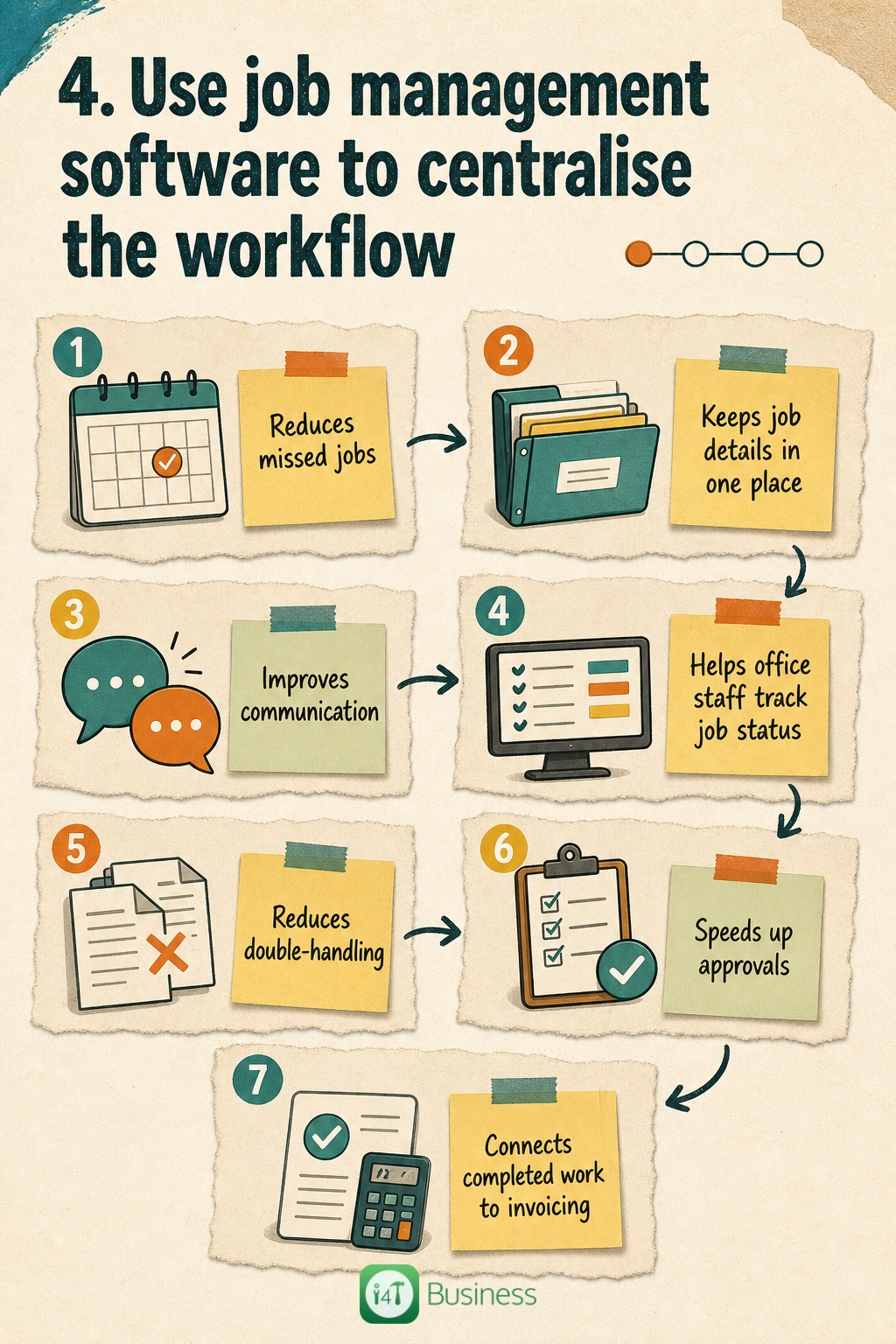
Centralising your workflow with job management software improves job completion rates by reducing missed jobs and lost details. All job information is kept in one place, making communication between office and field seamless. Your admin team can track job status in real time, quickly coordinate changes, speed up approvals, and accelerate invoicing with direct links to completed work. This eliminates double-handling, cuts down delays, and keeps your tradies focused on getting the job done well the first time.
- Reduces missed jobs
- Keeps job details in one place
- Improves communication
- Helps office staff track job status
- Reduces double-handling
- Speeds up approvals
- Connects completed work to invoicing
5. Standardise job workflows for common services
Trade businesses often tackle many repeatable jobs, such as installations, emergency repairs, maintenance, inspections, and warranty work. Standardising how these jobs are done saves time and improves consistency.
Set up completion checklists, required technician notes, mandatory job photos, and customer sign-offs within your job sheets. Track parts used, and schedule follow-up reminders when needed. This standard approach eliminates guesswork, helps new staff onboard faster, and reduces mistakes that cause delays or rework.
6. Improve communication between office, field staff, and customers
Lack of clear communication often leads to missed appointments, confusion over job status, or unnecessary calls. Staying in touch with customers throughout the job — confirming appointments, giving technician arrival alerts, updating on delays, and notifying when jobs are complete — builds trust and smooths operations.
Modern job management software automates these updates and gives your office team live visibility into each job’s progress. This reduces admin overhead and improves customer experience without extra work.
7. Track why jobs are not being completed
If jobs aren’t finishing on time, it’s crucial to know why. Was the customer unavailable? Did parts not arrive? Was there an unexpected safety issue? Maybe weather affected access or the technician had to reschedule.
Collecting and analysing these reasons with reporting tools within your trade business software helps you pinpoint actual bottlenecks. Knowing the true causes enables you to fix processes — whether by improving parts ordering, updating customer communications, or building better contingency plans — instead of making guesses.
8. Speed up quoting, approvals, invoicing, and payments
From a business perspective, a job isn’t truly complete until the work is approved, invoiced, and paid. Delays in getting quotes to customers, waiting on approvals, or slow invoicing stall cash flow and tie up your resources.
Job management software streamlines this entire chain. Digital quotes can be sent and approved electronically, invoices generated automatically as soon as jobs are signed off, and payment links included for easy customer transactions. Features like deposit requests and same-day invoicing keep money moving fast.
For example, i4T Business Job Management Software links completed jobs directly to invoicing tools, reducing admin time and avoiding payment delays.
How to choose the right job management software for your trade business
Picking the right job management software in Australia means finding a solution that fits your business size, trade type, and user needs. Look for software with quoting, scheduling, dispatch, and a mobile app that supports digital job cards. Features like attaching job photos, sending automated customer updates, invoicing, payment processing, and detailed reporting are must-haves.
Ease of use is critical — your office staff and tradies shouldn’t need hours of training. Integration with your existing accounting software and local customer support can make a huge difference in getting value quickly. Don’t just buy the flashiest software; focus on one designed with trade businesses in mind that supports your day-to-day workflow.
Common mistakes that reduce job completion rates
Many trade businesses unknowingly lower their job completion rates through avoidable mistakes. These include booking jobs without collecting enough details upfront, not confirming appointments with customers, overbooking tradies beyond realistic capacity, and failing to track required parts properly.
Using paper forms or disparate communication channels often leads to lost information. Slow invoicing or neglecting to review unfinished jobs wastes valuable time and cash. Relying too heavily on memory or uncoordinated messages only creates confusion and missed deadlines. Addressing these pitfalls can make a big difference in hitting your job targets.
A simple 30-day action plan to improve job completion rates
Improving job completion rates doesn’t happen overnight. Here’s a practical plan to get started:
Week 1: Measure your current job completion rate and identify the key reasons jobs are delayed or unfinished. Use whatever data you can access, even if it’s manual.
Week 2: Focus on improving job intake processes — make sure you’re gathering full job details, confirm appointments with customers, and optimise scheduling to balance workloads.
Week 3: Standardise field processes by introducing checklists, requiring job photos and notes, ensuring parts usage is logged, customer sign-offs happen onsite, and setting follow-up tasks where needed.
Week 4: Automate communication, reporting, and invoicing using job management software. This will reduce admin delays and give your office full visibility into job progress.
Frequently Asked Questions
It’s the percentage of scheduled jobs that are fully completed, showing how effectively a trade business delivers services on time.
Divide the number of completed jobs by the number of scheduled jobs, then multiply by 100 to get a percentage.
Common causes include poor scheduling, incomplete job details, return visits, unavailable customers, missing parts, and slow communication.
By centralising job details, improving scheduling and communication, reducing admin delays, and providing real-time job tracking.
Job completion rate measures all completed jobs, while first-time fix rate tracks jobs fixed without needing a return visit.
Yes, many small businesses benefit from using simple, easy-to-use software designed for trade workflows.
Key features include quoting, scheduling, mobile job cards, photo attachments, customer communication, invoicing, payments, and reporting.