

If you’re a tradie, contractor, or run a small service business in Australia, you’ll know the daily grind all too well. Calls blaring through, quotes demanding attention, jobs shifting around, messages from customers and staff pinging nonstop, invoices piling up, and late-night admin eating into your downtime. It’s enough to make any busy business owner feel stretched.
That’s where job management software comes in. The right system can help you cut through this chaos by automating and simplifying those day-to-day tasks that eat up your time. This article lays out practical daily tasks to eliminate with job management software, so you can run your business more smoothly and get back to what matters most—delivering top-notch service.
What Is Job Management Software?
Job management software is designed specifically to help service businesses manage everything from enquiry to invoice under one roof. It’s the digital backbone that keeps track of quotes, bookings, job progress, invoicing, payments, and reporting—all in one place.
Instead of juggling spreadsheets, diaries, text messages, and separate apps, this software connects your whole workflow. It means fewer mistakes, faster responses, and more control over your day-to-day operations.
10 Daily Tasks Job Management Software Can Eliminate
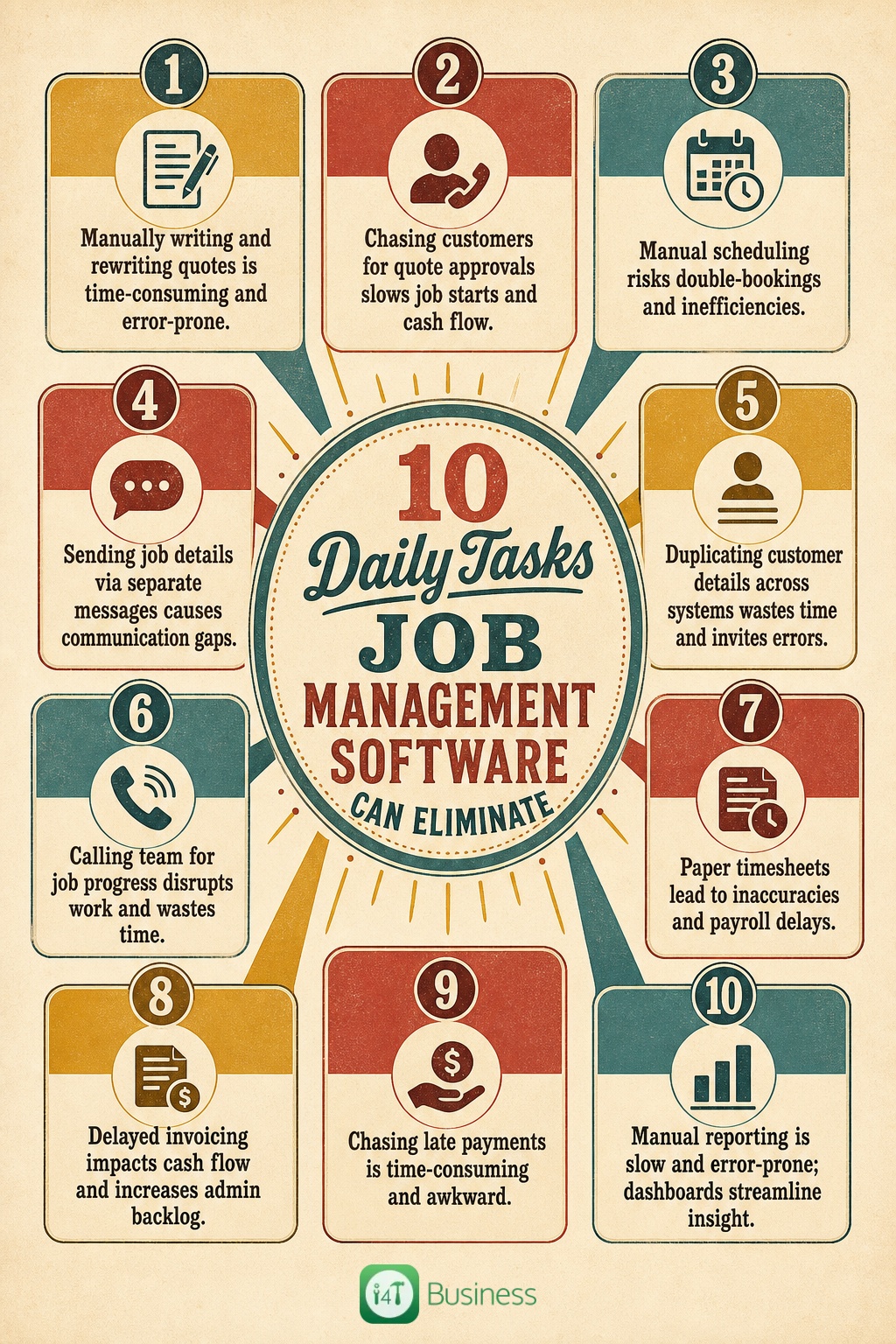
1. Manually Writing and Rewriting Quotes
Most tradies start their day creating quotes from scratch or hunting through old documents to cobble something together. It’s tedious and time-consuming, not to mention the risk of pricing errors or missing details.
Job management software streamlines this with handy quote templates, saved items like frequently used materials or services, and a smooth quote-to-job conversion feature. This means you spend less time crafting quotes and more time winning work, while ensuring pricing is accurate and consistent.
2. Chasing Customers for Quote Approvals
Waiting around for customers to get back to you with quote approvals often slows things down. Follow-ups can be forgotten or awkward, delaying job starts and cash flow.
With automated reminders and real-time quote status tracking, job management software nudges your customers gently but persistently. You get clear visibility when someone has viewed or accepted a quote, helping you keep the job moving without the endless back-and-forth.
3. Manually Scheduling Jobs and Moving Bookings Around
Traditional scheduling methods like whiteboards, diaries, or spreadsheets can’t keep up when last-minute changes hit, and double-bookings happen all too easily.
Job scheduling tools in management software let you assign jobs efficiently, drag and drop bookings with ease, and instantly see who’s free when. It reduces scheduling conflicts and keeps your team on track, saving time and headaches both in the office and on site.
4. Sending Job Details to Staff One Message at a Time
Sending job addresses, instructions, photos, or changes via texts or calls to each team member clogs up your day and risks information slipping through the cracks.
With mobile field access, your team gets real-time updates straight to their devices. They can see all job details, customer notes, and images in one spot, cutting down on miscommunication and giving them everything needed to get the job done right the first time.
5. Re-entering Customer Details Across Multiple Systems
Copying customer info from enquiry forms into spreadsheets, quotes, and invoices wastes time and risks errors. It’s frustrating for both the office and the customer.
A centralised customer record in job management software links enquiries, quotes, jobs, and invoices seamlessly. This saves duplication, ensures details are always up-to-date, and helps build stronger customer relationships by having a complete job history at your fingertips.
6. Tracking Job Progress by Calling the Team
Owners and office staff often spend too much time chasing workers for updates on job status, causing interruptions and distractions in the field.
Field updates, photos, notes, and checklists entered directly by your team help reduce calls and keep everyone informed. This real-time insight means less time spent tracking progress and more time managing priorities effectively.
7. Manually Recording Timesheets
Paper timesheets or handwritten hours sent by text often lead to errors, confusion, and late submissions, making payroll and job costing a pain.
Mobile timesheets linked to specific jobs allow your team to clock on and off effortlessly. This improves accuracy in labour tracking, helps with job cost analysis, and speeds up payroll processing.
8. Creating Invoices After the Job Is Finished
Waiting to manually gather job details, materials, and labour hours before invoicing delays payments and hampers cash flow.
Job management software automatically pulls completed job information, approved quotes, and recorded hours into invoices. This speedier process gets invoices out fast, improves cash flow, and reduces admin backlog.
9. Chasing Late Payments
Following up with customers for overdue payments is a tedious, often uncomfortable task that eats into your time.
Automated reminders and payment tracking features help you stay on top of unpaid invoices without awkward phone calls. This improves collections and keeps your cash flow steady without damaging customer relationships.
10. Building Reports Manually at the End of the Week
Many business owners pull data from multiple systems to understand job performance, profitability, and staff productivity. This manual crunching is time-consuming and prone to mistakes.
Dashboards in job management software gather all critical data in one place, showing job volumes, completed tasks, outstanding invoices, team productivity, and profitability indicators at a glance. This means smarter, faster decision-making with less admin.
Business Automation Without Losing Control
Business automation might sound like losing the human touch or handing over control, but that’s not the case. It’s about removing repetitive admin tasks so you and your team can focus on customers, quality work, and growing your business.
The best job management systems still give business owners control to review and approve quotes, invoices, and exceptions. Automation just handles the routine bits, giving you more time and fewer errors while keeping your business personal and professional.
Job Management Software vs Automation Tools for Tradies
You might be using several tools: spreadsheets, calendars, accounting systems, and even some automation apps, to keep the business ticking over. While these can help with one or two tasks, job management software brings your whole operation together.
Instead of juggling disconnected apps, a good job management system creates one seamless workflow from enquiry through to payment. This reduces double handling, cuts errors, and makes life easier for everyone, from office staff to tradies on the tools.
Signs Your Service Business Is Ready for Job Management Software
Many business owners notice certain issues before switching to job management software, such as missed follow-ups, double-booked jobs, delayed invoicing, scattered customer details, staff needing constant job info calls, poor visibility on job profitability, and admin done late at night.
If these sound familiar, it’s a clear sign that your business could benefit from smart service business software to streamline processes, improve communication, and boost efficiency.
What to Look for in Job Management Software
When choosing job management software, focus on features that truly matter in your daily operations. Look for tools that help with quoting and estimating, job scheduling and dispatch, mobile access for your field team, central customer records, detailed job notes and photos, checklists to maintain quality, integrated timesheets, invoicing, payment reminders, useful reporting, and seamless accounting integrations.
These features aren’t just bells and whistles—they solve everyday problems, save time, reduce mistakes, and give you a clearer picture of your business health.
How to Start Automating Without Overcomplicating It
Introducing business automation doesn’t have to be overwhelming. Start by mapping your current workflow from enquiry right through to payment. Find where admin slows you down the most and focus there first.
Take it step-by-step: choose one workflow to automate, create useful templates, train your team to trust the software, and make it your single source of truth. This gradual, practical approach helps you get the benefits without confusion or disruption.
Final Thoughts
Job management software does much more than just replace paper or spreadsheets. It helps tradies and service businesses eliminate repetitive admin tasks, reduce mistakes, accelerate cash flow, and gain better control and visibility over daily operations.
By focusing on practical automation, it frees you up to do what you do best—deliver quality service and grow your business with confidence.
Frequently Asked Questions
It can automate quoting, scheduling, customer follow-ups, job tracking, invoicing, payment reminders, timesheets, and reporting.
No, it’s designed for any service business including contractors, field workers, and small service providers.
Job management software manages the entire job workflow, while accounting software focuses on financial records and complies with tax requirements.
The best tools integrate quoting, scheduling, job tracking, invoicing, and payments in one system to reduce admin and errors.
By speeding up quoting, job completion, and invoicing processes and automating payment reminders to reduce overdue invoices.
Yes, it saves time, reduces mistakes, and provides better control, making even small businesses more efficient and profitable.