

If you’re a tradie or service contractor in Australia, you don’t buy software because you feel like adding “another system”. You buy it because the current way of running jobs is costing you time, money, and patience: missed details, messy scheduling, techs calling the office for basics, and invoices that go out late (or not at all).
This field service software buyers guide Australia is designed to help you choose tools that improve the stuff that actually matters day-to-day: getting the right person to the right job, capturing the work properly on-site, and getting paid faster.
You’ll also see a practical process for how to choose field service software, so you don’t get won over by shiny extras that look great in a demo but fall apart on a real Thursday afternoon.
What field service software should do
“Field service software” (FSM) is the operational layer that connects your office and your team in the field. Whether it’s called job management, FSM, service management, or “all-in-one”, the outcome should be the same: it should move jobs cleanly from enquiry to payment.
A useful system supports an end-to-end workflow like:
enquiry → quote → schedule → dispatch → on-site work → photos/forms → invoice → payment → reporting
When that flow works, you stop doing everything twice. When it doesn’t, you end up with a digital version of paperwork chaos.
A quick self-check: what kind of work do you run most weeks?
Before you compare features, anchor your decision around what your jobs actually look like:
- Reactive call-outs (breakdowns, urgent jobs): speed, dispatch, comms, payment collection
- Quoted work (small projects): quoting, approvals, variations, job costing
- Maintenance / recurring: repeat scheduling, service history, checklists, compliance evidence
- Multi-tech / multi-trade: skills-based scheduling, dependencies, handovers, visibility
The reason this matters is simple: a business doing mostly emergency call-outs will rate features differently to a business doing mostly quoted installs. Your best fit is the platform that matches your dominant workflow, not the one with the longest feature list.
Best field service software features 2026
Scheduling and dispatch that stops the daily scramble
If scheduling is hard, everything is hard. The best scheduling tools make it easier to assign jobs based on reality: where your techs are, what they’re qualified to do, and how the day is tracking.
A strong benchmark here is the way modern platforms describe dispatch capability: an interactive schedule board that helps dispatchers assign work based on factors like availability and location, with the ability to manage and adjust work as the day changes.
What you’re really looking for is speed with control. When a job moves, you want to update it in seconds, not rebuild your whole day.
Use this as a practical test during trials: can your office handle three changes in a row, late tech, urgent call-out, and a customer reschedule, without losing track of what’s happening?
A mobile app your techs will actually use
Your mobile app is the product. If the field experience is clunky, adoption drops, and the office ends up back on texts, calls, and “send me the photos later”.
A good mobile workflow feels like a job card that guides the tech from start to finish: view details, capture notes, add photos, tick off checks, get a signature, then close the job properly. The best systems also account for reality: patchy reception and jobs that happen in basements, new estates, or rural areas.
When you trial software, pay attention to how many taps it takes to do the basics. If it feels slow and fiddly in week one, it won’t magically feel better in month three.
Quote → invoice → payment, without double-handling
If you’re still retyping job details to invoice, you’re paying for software but running a manual business.
In 2026, the “must-have” expectation is that what happens on-site flows directly into what gets billed. That includes variations, materials used, time on the job, and customer sign-off.
This is also where cashflow improves. The faster you can go from “job done” to “invoice sent” (and ideally payment collected), the less you’re funding your customers’ businesses.
A good test: can you invoice the job properly with the information captured on-site, without the office needing to chase the tech for missing details?
Job costing and margin visibility (especially if you’re growing)
A lot of trade businesses feel busy and still wonder where the money went.
Job costing doesn’t need to be complex, but it does need to be accurate enough to answer basic questions: Are you making a margin on the jobs you do most often? Are certain job types consistently blowing out? Are you pricing labour and materials realistically?
The best systems make this feel natural: time and materials are captured once (preferably in the field), then rolled into the job’s financial picture.
Even if you’re small today, job costing becomes critical the moment you add another vehicle, another tech, or another crew. It’s the difference between scaling profitably and scaling chaos.
Customer communication that reduces no-shows and inbound calls
Customers don’t just want the job done. They want certainty.
Solid FSM software reduces the “where are you?” calls by making updates easy and consistent: booking confirmation, reminders, “on the way”, job completion notes, and clear next steps.
This matters even more when you’re juggling multiple jobs per day. Clear comms protects your time because customers are less likely to ring the office for basic updates, and you’re less likely to arrive at a “no one’s home” scenario.
You don’t need fancy marketing automation. You need reliable operational messaging that happens automatically when the job status changes.
Forms, checklists, and compliance evidence
For many trades, proof matters: safety checks, install sheets, test results, compliance steps, photos, and signatures.
This is where the right software becomes more than admin; it becomes protection. A clean job record can prevent disputes, help with warranty claims, and prove what was done if a customer questions it later.
Look for forms and checklists that are easy to create and easy for techs to complete on-site. If building a checklist feels like a project, it won’t happen.
A simple sign your system is helping: you stop hearing “Where did we put that form?” because it’s attached to the job and searchable.
Parts and inventory
Not every trade business needs full inventory management. But if you do service work and carry parts, you need enough structure to reduce return trips and protect margins.
At a minimum, the system should help you record parts used and connect that to the invoice and job cost. Bonus points if it supports van stock, low-stock alerts, and basic purchasing workflows—but only if those features are actually used.
In trials, focus on the everyday action: can a tech quickly add parts used to the job, and does that flow into billing without drama?
Integrations that make sense in Australia
In Australia, integrations aren’t a “nice extra”. They’re how you avoid double entry and keep your accounts clean.
If you’re on Xero, it’s worth looking at the kinds of outcomes Xero highlights around field service integrations: scheduling and dispatch based on location and availability, with job status updates in the field, and timesheets syncing into Xero to support accurate invoices.
If you’re on MYOB, the key question is: does the platform fit into your existing MYOB setup and have a supported integration path? MYOB’s own Apps Marketplace positions itself as a place to browse and filter hundreds of apps and integrations by task or industry.
The goal isn’t “lots of integrations”. It’s the few that remove real admin: accounting sync, payments, SMS/email comms, and any tools you rely on daily.
Reporting that answers real questions quickly
Most tradies don’t want dashboards for the sake of it. They want a few answers, fast:
- What’s booked this week, and what’s not confirmed?
- Which jobs are stuck in progress?
- How long from job completion to invoice sent?
- Are we making money on the jobs we do most?
Good reporting is operational. It helps you spot bottlenecks before they become end-of-month surprises.
When you trial software, ask the vendor to show you those answers specifically. If it takes ten clicks and an export, you’re not getting visibility; you’re getting homework.
Security, access controls, and data ownership
Even small trade businesses hold personal information: customer names, addresses, access notes, and sometimes photos inside homes or commercial sites.
If your organisation is covered by the Privacy Act, Australia’s Notifiable Data Breaches (NDB) scheme can require notifying affected individuals and the OAIC when a breach is likely to result in serious harm.
You don’t need to become a cyber expert, but you should check the basics:
- role-based permissions
- audit trails
- options like MFA
- clear statements about data ownership and exportability
It’s about protecting your customers and your reputation.
How to choose field service software
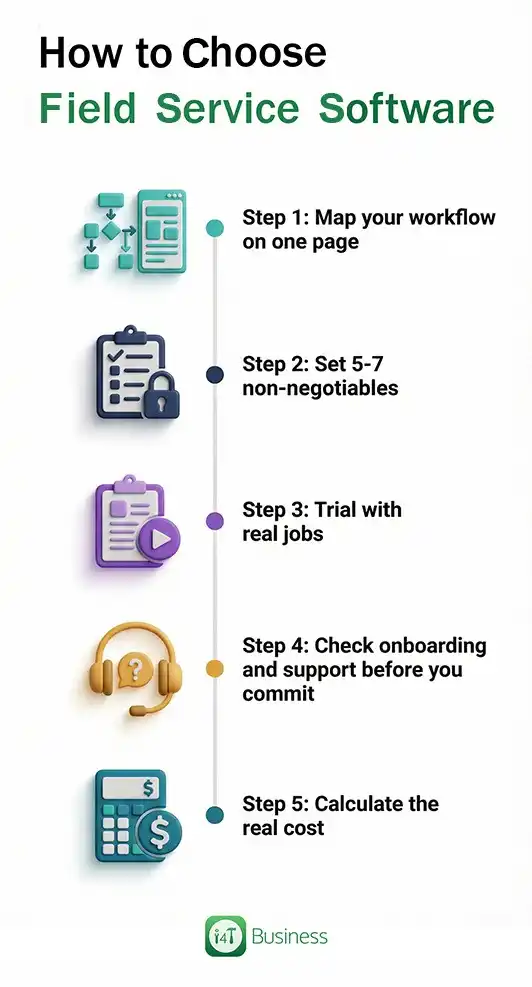
Most bad software decisions happen because the buyer evaluates “features” in a vacuum. A better approach is to evaluate the workflow.
Step 1: Map your workflow on one page
Write your real process end-to-end. Include the annoying parts: reschedules, urgent call-outs, variations, parts, job notes, and approvals.
If a system can’t follow your workflow cleanly, you’ll feel it quickly.
Step 2: Set 5-7 non-negotiables
Non-negotiables are what must work from day one. For most tradies, this ends up being a short list like scheduling/dispatch, mobile job delivery, job-to-cash, integrations, and evidence capture.
Keep this list short on purpose. You’re trying to make the decision easier, not harder.
Step 3: Trial with real jobs
Run at least 5–10 real jobs through the system. Don’t just click around; actually book, dispatch, complete, and invoice. If the field team hates it in the trial, it won’t improve after you sign.
Step 4: Check onboarding and support before you commit
A good platform with poor onboarding can still fail. Ask how migration works for data on customers, assets, and price lists, what training looks like for office and field staff, and how support is handled after go-live.
Step 5: Calculate the real cost
Subscription is only one piece. Consider implementation, add-ons (SMS, payments), extra users, and the time your team will spend setting up templates and processes.
A simple scoring method
If you want a clean decision, score each shortlisted platform from 1-5 against categories that match your workflow. Keep short notes from the trial.
You don’t need a complicated spreadsheet. You need evidence. Usually, one platform stands out because it feels easier in real use, especially for your techs.
What to ignore until the basics are nailed
It’s tempting to buy the platform with the most “advanced” extras. But in most trade businesses, results come from the basics being done well.
If scheduling is slow, mobile is clunky, and invoicing is painful, you won’t get value from shiny add-ons, because people won’t use the system properly.
Nail your core workflow first. Then add advanced features once adoption is strong and your processes are stable.
Choose the system that makes your week calmer and your cashflow faster
The best field service software features 2026 aren’t the flashy ones. They’re the ones that remove friction: smooth scheduling and dispatch, a mobile app techs like using, solid job records with photos/forms, and a job-to-cash flow that gets invoices out fast and clean.
If you use this field service software buyers guide Australia approach, workflow first, real-job trials, and a short list of non-negotiables, you’ll make a decision you don’t regret six months later.
If you want an Australian job management platform designed around real trade workflows, i4T Business helps teams run jobs end-to-end—organising scheduling, field execution, and admin into one place so you spend less time chasing details and more time getting work done.
FAQs
Scheduling/dispatch, a tech-friendly mobile app, quote-to-invoice workflow, payments, job costing, and useful integrations.
Map your workflow, set non-negotiables, shortlist, then trial using real jobs end-to-end.
They overlap heavily. The best tools cover scheduling, mobile jobs, invoicing, and visibility across the week.
Choosing based on a polished demo instead of trialling real jobs with the team who’ll use it.
Hot off the press!