

A work order isn’t “admin”. In a trade business, it’s the difference between a clean job and a callback, a smooth invoice and a dispute, a tech who’s confident and a tech who’s ringing you from the site because the brief is missing key details.
When work orders are sloppy, the costs sneak up on you: extra trips for parts, time lost finding access, delays waiting for approvals, and invoices that stall because there’s no proof of what was done. When work orders are strong, jobs get done right the first time, and the paperwork basically completes itself.
This guide shows the best work order format for tradies, plus work order examples for electrical, plumbing, and HVAC you can copy, paste, and adapt.
The best work order format for tradies: “one page + job pack”
The easiest way to make work orders usable in the field is this:
- The one-page work order is the instruction sheet. This includes everything from what to do, where, when, what to bring, and what to capture.
- The job pack is the backup. It should have attachments that support the job without cluttering the core brief.
The reason this works is simple: the one-page version gets read on-site, and the job pack stops you losing important context like photos, safety docs, prior history, manuals, approvals.
Here’s a practical split you can steal:
What to keep on the one-page work order:
- Customer + site access info
- Clear problem statement + scope
- Hazards/controls prompts
- Parts/tools to bring
- Proof required (photos/readings/sign-off)
What to put in the job pack:
- Site photos, maps, parking notes
- SWMS / permits
- Manuals, wiring diagrams, asset history
- Prior job notes + before/after images
- Customer approvals/variations
- Compliance paperwork templates
What “great” work orders do in the real world
A great work order is written for the tech who wasn’t on the original phone call. It anticipates the questions they’ll ask at the worst possible time (on a ladder, in a plant room, with a customer watching).
At a minimum, your work order should let the tech answer these five questions instantly:
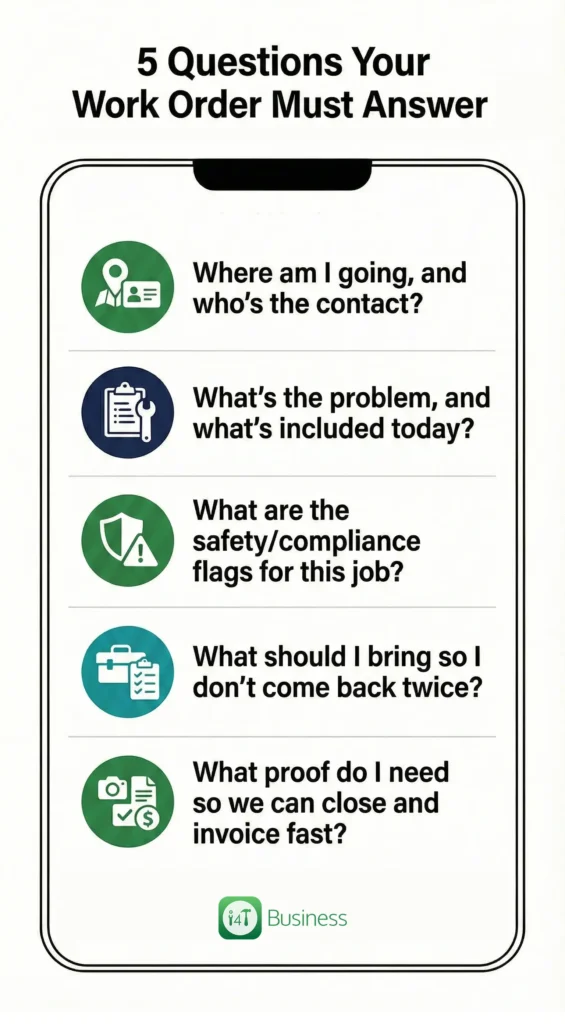
- Where am I going, and who’s the contact?
- What’s the problem, and what’s included today?
- What are the safety/compliance flags for this job?
- What should I bring so I don’t come back twice?
- What proof do I need so we can close and invoice fast?
If your work orders consistently answer those five, you’ll feel the difference in fewer callbacks and fewer questions from the field.
The 8 non-negotiable sections every great work order includes
Here’s the structure that works across electrical, plumbing, HVAC, and most other field service jobs:
- Job header used for tracking and scheduling
- Customer and site details for access and sign-off authority
- Problem statement to identify symptoms, patterns and not vague notes
- Scope of work to define what we will do today
- Out of scope or approvals, to determine what needs a variation
- Safety and compliance prompts that are short and relevant
- Parts/labour and costing fields, so the invoice is clear
- Proof of completion with photos/readings and customer sign-off
How to write each section
1. Job header: make ownership and urgency obvious
The header isn’t there for “process”. It’s there so the job can be scheduled cleanly, handed over if needed, and found later without digging through messages.
A solid header usually includes job number, priority, booked window, assigned tech/crew, and job type. Those few fields reduce confusion when the day gets busy, and someone needs to jump on a job quickly.
2. Customer and site details
This section is all about removing friction. Access notes are where profit goes to die if you skip them: gate codes, parking, which door, roof hatch location, plant room keys, and induction requirements. It’s also where you confirm who can approve and who can sign, because finishing a job with the wrong person on site is a classic time-waster.
3. Problem statement
This is where you stop guessing jobs. The goal is to capture what’s happening and when, not a generic label.
A quick way to tighten this up is using a “bad vs good” mental model:
- Bad: “AC not working”
- Good: “Unit powers on, fan runs, no cooling, error code E7, worse mid-afternoon”
Two extra details, like pattern and symptom, can cut diagnosis time massively.
4. Scope of work
Scope is not about being difficult with customers. It’s about being clear with your team. If you want less rework and fewer disputes, the scope needs to read like a short to-do list that a tech can follow without interpretation.
If the job could expand, the scope should also state what happens next: “make safe and quote” or “call office for approval”.
5. Out of scope/approvals
This section is your polite guardrail. It prevents accidental free work and makes it normal to ask for approval when the job changes.
A simple approach is setting one rule and repeating it across your business, for example: “Parts over $___ require approval” or “Any additional work outside scope must be approved as a variation.”
6. Safety + compliance prompts
Don’t paste paragraphs of legislation. Do include prompts that make your tech pause and assess real risk.
A good safety prompt reads like: “Isolation required”, “working at heights controls”, “check asbestos register for older sites”, “confined space rules apply”. If a SWMS or permit is needed, you point to the job pack.
7. Parts/labour + costing: make the invoice easy later
If you don’t capture parts and time while the job is fresh, someone ends up reconstructing it later, usually badly. Great work orders give techs a simple place to record labour, parts/materials, travel, and any variation notes so the office can invoice without chasing.
8. Proof + completion
This is the section that makes disputes rare and invoicing fast. It sets expectations up front: photos, readings, test results, before/after, serial numbers, and a simple completion note. Then it finishes with a sign-off, so the job is actually closed.
Common mistakes that create callbacks
Most work order problems aren’t dramatic; they’re missing one or two critical details that force a tech to stop and ask questions on site. Fixing that is usually just improving the problem statement and scope, and making proof requirements obvious.
The most common traps look like this:
- Vague problem descriptions, instead of symptoms/patterns
- Missing access notes
- Scope creep with no approval rule
- No proof captured, so invoices stall
When you tighten those four areas, work orders start paying you back immediately.
Steal These Work Order Examples (Free Download)
If you’re sick of reinventing the wheel every time a job comes in, this will save you a heap of time.
We’ve turned the examples in this guide into copy-and-paste work order templates that are already structured the way tradies actually work in the field: clear scope, access notes, safety prompts, and the proof you need to close the job and invoice without chasing paperwork.
These templates are designed for the most common job types across:
- Electrical – fault find + repair / RCD tripping
- Plumbing – blocked drain + jet + CCTV
- HVAC – quarterly maintenance
Standardise this without adding admin
Once you’ve got good templates, the real win is making them repeatable. That’s where job management software earns its keep: it can make key fields consistent, prompt techs for proof at the right time, and keep the job pack attached so the office isn’t chasing photos and notes.
With i4T Business, the goal is straightforward: set trade-based work order templates, electrical, plumbing, HVAC, guide techs through the same structure every time, capture photos/readings/signatures from the field, and keep it all tied to the job so it’s easy to close and invoice.
If you want work orders that look like the examples above on every job, not just when someone remembers, i4T Business helps you standardise the format, reduce callbacks, and move jobs from booked to done, to invoiced without the paperwork pile-up.
FAQs
One page for instructions, a job pack for attachments and evidence.
Site/contact, clear problem statement, scope, safety prompts, proof required, and completion/sign-off.
Yes, keep the structure the same, but add trade-specific readings and proof prompts.
They reduce disputes and make invoicing faster because the job is documented properly.
Make it the default workflow, and ideally use software prompts/required fields so it’s not optional.
Hot off the press!