

If you’re running a small trade business, “easy” software isn’t about fancy dashboards or a hundred features you’ll never touch. It’s about getting through the day without losing job details, forgetting follow-ups, or spending your nights chasing paperwork.
The easiest field service software is the one that feels natural: you can pick it up fast, use it on-site without fuss, and keep your jobs moving without drowning in admin.
Below, we’ll walk through what “easy” actually means for tradies, what to look for in FSM software for small business, and how to choose small trade business software that keeps things simple.
What makes field service software “easy” for a small trade business?
For most tradies, “easy” means the system fits how you already work. You shouldn’t have to stop mid-job to learn the software; it should just help you capture details and move on.
In practice, easy looks like: quick setup, clear screens, and a mobile-first experience that works when you’re on-site. If you’re looking for simple job management software in Australia, the goal is fewer steps, not more.
What problems should the easiest field service software solve first?
The best place to start is with the stuff that steals time every week: messy job info, missed calls, no-shows, forgotten variations, and invoices that sit in a pile because you’re too busy to write them up.
A genuinely easy system focuses on the basics:
- getting a job booked properly,
- keeping all the job notes/photos in one place,
- tracking where each job is up to,
- and sending the invoice while the details are still fresh.
If software doesn’t make those tasks smoother, it won’t feel “easy” once you’re flat out.
What features matter most in simple job management software in Australia?
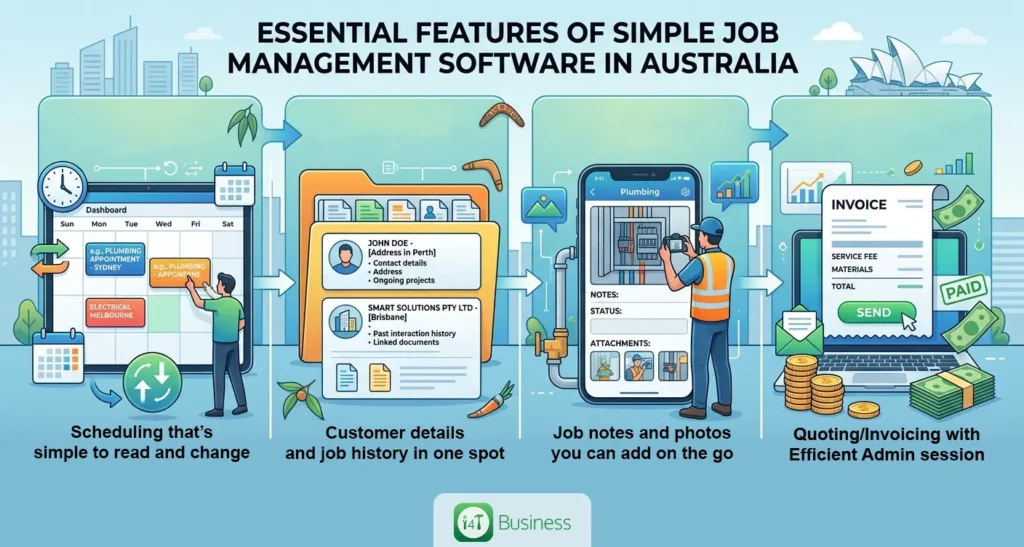
For a small team or even a one-person operation, the “easy” features are the ones you touch every day. You want the essentials working cleanly, without needing to customise everything.
The most useful basics are usually:
- scheduling that’s simple to read and change,
- customer details and job history in one spot,
- job notes and photos you can add on the go,
- and quoting/invoicing that doesn’t turn into a whole admin session.
Everything else can come later. For most tradies, the easiest setup is the one that starts small, then grows with you.
How do you know if it’s truly simple, not just marketed as easy?
Lots of tools claim to be “simple.” The real test is whether it stays simple when you’re under pressure; mid-job, phone ringing, supplier calling back, next customer waiting.
A good reality check is this: Could you create a job, schedule it, add notes/photos, and generate an invoice without needing help? If you can’t do the basics smoothly, the system isn’t easy, it’s just glossy.
Also watch for “hidden complexity.” Some systems look clean at the surface, but every action opens a new screen, requires too many required fields, or forces you to set up things you don’t care about yet. That’s when tradies start avoiding the software, and the business slides back into texts, spreadsheets, and memory.
Does it need to handle Australian invoicing and GST properly?
Yes, “easy” doesn’t mean sloppy. Your invoicing still needs to look professional and be easy for customers to pay, and it needs to support GST where relevant.
This includes keeping track of invoices and payments. If you’re GST-registered, tax invoices also matter, in a way that is valid and when you need it.
The easiest systems handle this in the background: the right fields are already there, templates are ready to go, and you’re not rebuilding the invoice every time.
Can the software help with record keeping and staying organised for tax time?
This is one of the biggest “hidden wins” of going with FSM software for small business, not because you love paperwork, but because you’ll waste less time hunting for it later.
Business.gov.au points out that software can help with record keeping tasks like capturing transactions and managing invoices, which makes staying organised a lot easier.
In the real world, good record keeping inside job software looks like this: job details, photos, notes, and invoices all tied together so you can search by customer or address and find what you need in seconds.
What’s the easiest way to run jobs from your phone while you’re on-site?
The easiest setup is the one you can use in the gaps between work, not something that needs quiet desk time.
A smooth mobile workflow is usually: open the job, check the details, add notes/photos as you go, mark it complete, and invoice. When the software matches that flow, it feels like a helper. When it doesn’t, you’ll put it off, and the admin backlog starts again.
If you’re comparing options for small trade business software, pay attention to how many taps it takes to do the basics. That’s where “easy” lives.
How important is scheduling and dispatch for small teams ?
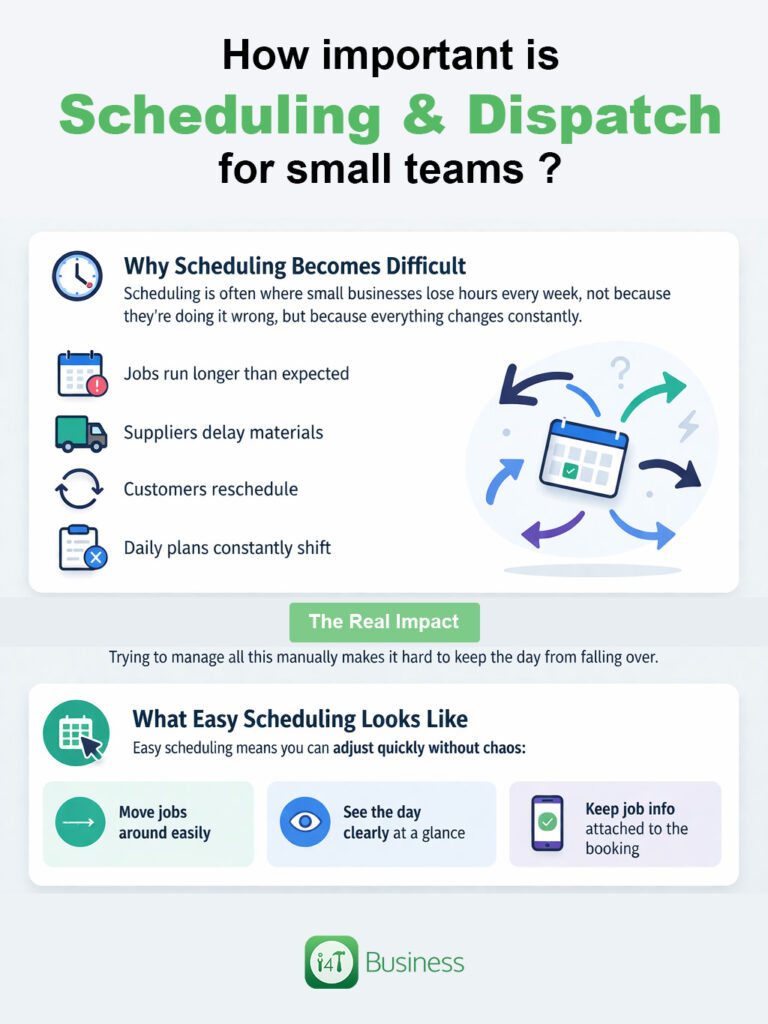
Scheduling is often where small businesses lose hours every week, not because they’re doing it wrong, but because everything changes constantly. Jobs run long, suppliers delay materials, customers reschedule, and you’re trying to keep the day from falling over.
Easy scheduling means you can adjust quickly without chaos. You should be able to move jobs around easily, see the day clearly, and keep the job info attached to the booking (so you’re not chasing details across messages and notebooks).
What security basics should a small business look for in cloud FSM software?
Even a small business needs solid security, because your system holds customer details, addresses, invoices, and job history. Losing access to that isn’t just annoying; it can stop work.
At a minimum, look for secure sign-in options and multi-factor authentication (MFA). Australia’s cyber.gov.au guidance highlights MFA as a strong protection for accounts against unauthorised access.
Easy and secure can, and should) go together.
What should small trade businesses budget for, and how do you pick the “right” plan?
The mistake a lot of tradies make is paying for a massive platform when they really just need a smooth daily system. Price matters, but so does value.
A simple way to choose is to start with what you’ll use every day: jobs, scheduling, customer details, and invoicing. Then add the extra features only when you actually feel the pain (like needing deeper reporting or more complex workflows).
If the tool saves you a few hours a week consistently, it pays for itself quickly, not just in money, but in less stress after hours.
Easy software is the one you’ll actually use
The easiest field service software for small trade businesses is the one that keeps your day simple: jobs are clear, scheduling is quick, customer details are organised, and invoices go out without drama. That’s what makes FSM software for small business worth it, not bells and whistles, but less admin and fewer things slipping through the cracks.
If you’re looking for simple job management software in Australia that’s built around how tradies work, i4T Business helps you manage jobs in one place, keep job details organised on-site, and stay on top of job management without the paperwork pile-up. If your goal is less admin and smoother days, this is a solid place to start.
FAQs
The easiest option is the one that’s quick to learn and easy to use on your phone, so you can book jobs, add notes/photos, and invoice without heaps of steps.
Yes, it can still help a lot. Even as a solo tradie, it keeps your jobs, customer details, and invoices in one place and saves you admin time after hours.
Start with the basics: job tracking, scheduling, customer details, job notes/photos, and simple quoting/invoicing. You can add more features later as you grow.
If you’re GST-registered, yes. Your software should make it easy to issue proper tax invoices and keep records organised for tax time.
The better systems are designed to be simple. You should be able to add customers, create jobs, and start scheduling within a short time, without needing a complicated setup.
Hot off the press!