
![What Should My Work Order Include? [Checklist + Download]](https://i4tbusiness.com/au/wp-content/uploads/2026/01/b6.webp)
TL;DR
A work order is the document or digital job record that captures the details of a job so it can be assigned, scheduled, completed, and closed out properly. In other words: it’s the “this is what we’re doing, when we’re doing it, who’s doing it, and what we need” record.
So, what should a work order include? For most tradies and service contractors, you want the essentials below, not because they look nice, but because each one prevents a common job-stuff-up.
At minimum, your work order should include:
- Job ID / work order number
- Customer details
- Service address
- Scope of work
- Scheduling details
- Assignment
- Parts/materials
- Safety/WHS notes
- Close-out info
These are consistent with common work order elements used in service and maintenance workflows: clear job details, assignment, materials, and proof of completion.
If you’ve ever rocked up to a job and thought, “Hang on… what exactly are we doing here?”, that’s a work order problem.
A good work order isn’t paperwork for the sake of it. It’s a practical, on-the-job tool that keeps your team aligned on scope, schedule, parts, safety, and sign-off, so jobs run smoother and invoicing is faster.
Where a work order fits
This is where a lot of businesses accidentally create gaps.
A quote is what you send to get approval on scope and price. A work order is what you create once the job is approved or authorised, so the job can be scheduled and executed consistently. And the invoice is what you send after the job is complete to get paid.
If you only rely on a quote, you often miss the operational stuff – time windows, access notes, parts readiness, safety notes, who’s assigned. The work order is what turns “approved work” into a job that can be delivered smoothly.
The work order fields that prevent rework
Most work orders don’t fail because they’re missing one massive thing; they fail because they’re missing a few small things that matter in the field.
Here are the core sections worth getting right.
Job identifiers and status
This is your control centre. A job number, created date, and a simple status (Scheduled / In progress / Completed) help you track work across the week, avoid double-handling, and make it easier to find job history later. When you’re juggling multiple jobs, identifiers stop things from falling through the cracks.
Customer and site details
The customer’s name and number are obvious, but the site details are where time gets wasted.
A strong work order captures the service address cleanly – unit numbers, correct street spelling, plus the right on-site contact and any access notes like parking, gate codes, pets, strata rules, or “call 30 minutes before”. Those tiny details are the difference between a smooth arrival and a 20-minute delay that blows your whole run.
Scope of work
This is the part that prevents “can you just…” from quietly turning into free labour.
A clear scope explains what the customer reported, what you’re actually doing, and what “done” looks like. If you do nothing else, do this: write the scope so a qualified tradie who’s never seen the job could read it and understand exactly what’s required.
Many work order guides describe this as the heart of the document; it’s the instruction set that lets the job be delivered consistently.
Scheduling, time windows, and assignment
Scheduling isn’t just admin; it’s margin protection.
A work order should state the scheduled date and a time window, not just the day, who’s assigned, and a rough duration estimate. Even a basic estimate improves planning because it stops you from stacking the day too tightly and then running late from job one.
Parts, materials, and tools
If you want fewer return trips, this is your best friend.
A good work order lists the parts/materials needed, with quantities where possible, plus notes on where they’re coming from, supplier pickup, warehouse, or already in the ute. It’s simple, but it’s one of the most common reasons jobs spill into a second visit.
Safety / WHS notes
This doesn’t need to be complicated, but it does need to exist.
At a minimum, note known hazards and required controls/PPE. If permits or isolations are needed, like lockout/tagout, hot works, or site induction, record that too.
And if the job involves high-risk construction work, a Safe Work Method Statement (SWMS) is required and should be prepared/kept and followed. Safe Work Australia explains that a SWMS sets out the high-risk activities, hazards, and controls.
Close-out and proof of completion
This is where you lock in cash flow.
A strong close-out captures what was done, any variations, photos if relevant, and customer sign-off. It reduces disputes and speeds up invoicing because the job record already contains the proof and notes you’d otherwise chase later.
Work order fields for better scheduling
If your scheduling is messy, it’s usually not because you need a fancy system; it’s because the job info isn’t scheduling-ready. You can’t plan the day properly if the work order doesn’t include the fields that affect time, travel, and capability.
The highest-impact scheduling fields are:
Time windows and site constraints. When you write “morning” instead of “8-10 am”, you create ambiguity, and ambiguity creates delays, angry customers, and juggling.
Estimated duration. It doesn’t need to be perfect. A rough duration protects the run sheet from unrealistic stacking and reduces late arrivals.
Skill/licence needs. Some jobs need a specific ticket, licence, or experience level. If the work order doesn’t say that, you’ll either send the wrong person or reshuffle the day at the last minute.
Parts readiness. A simple “parts ready: yes/no” (or “waiting on supplier”) prevents you from booking jobs that can’t be completed, which is one of the biggest hidden causes of schedule blowouts.
Clean address data and access notes. When addresses are sloppy or access is unclear, travel time planning becomes guesswork.
When those fields exist, scheduling becomes less stressful because you’re making decisions with facts, not assumptions.
Work order checklist
This is the section you can copy into your job workflow.
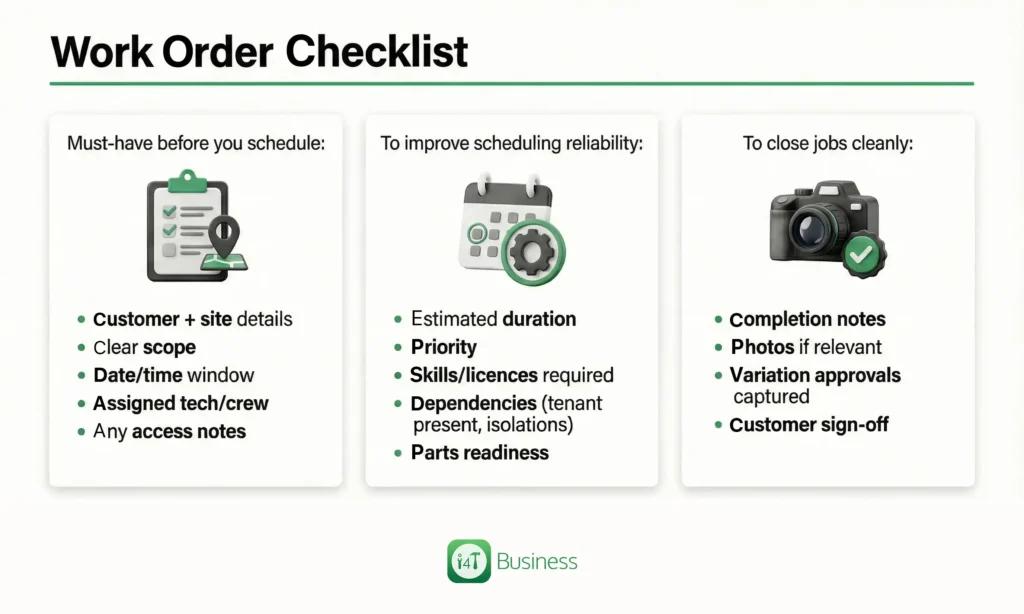
Must-have before you schedule: customer + site details, clear scope, date/time window, assigned tech/crew, and any access notes.
To improve scheduling reliability: estimated duration, priority, skills/licences required, dependencies (tenant present, isolations), and parts readiness.
To close jobs cleanly: completion notes, photos if relevant, variation approvals captured, and customer sign-off.
That’s it. Short, useful, and designed to stop the common issues.
Free download: Work Order Templates
You’ve now got two options, depending on how complex your work is.
The Simple template is a clean one-pager you can print or fill out digitally for straightforward jobs. The Job Pack template gives you more space for scope, safety notes, photos/evidence, and close-out, better for larger jobs, subcontractor workflows, or anything where you want stronger proof and documentation.
- Work Order Template (Simple) – PDF
- Work Order Template (Job Pack) – PDF
How i4T Business helps you standardise work orders
Templates help, but the real win is making sure your work orders are consistent every time, especially once you’re running multiple techs or jobs per day.
With i4T Business, you can build the checklist into your workflow so jobs don’t get scheduled without the right info. That means clearer scope, smoother dispatch, fewer wasted trips, and faster close-out because everything from notes, photos, and sign-off, lives with the job record.
If you want work orders that actually support scheduling and getting paid faster, not just “more paperwork”, i4T Business is built for Aussie tradies who want simple control over jobs from booking to invoice.
FAQs
Job ID, customer and site details, scope, schedule, assigned tech, parts, safety notes, and sign-off.
Time window, estimated duration, skills/licences needed, parts readiness, and access notes.
For high risk construction work, a SWMS must be prepared/kept and followed.
Hot off the press!