
TL;DR
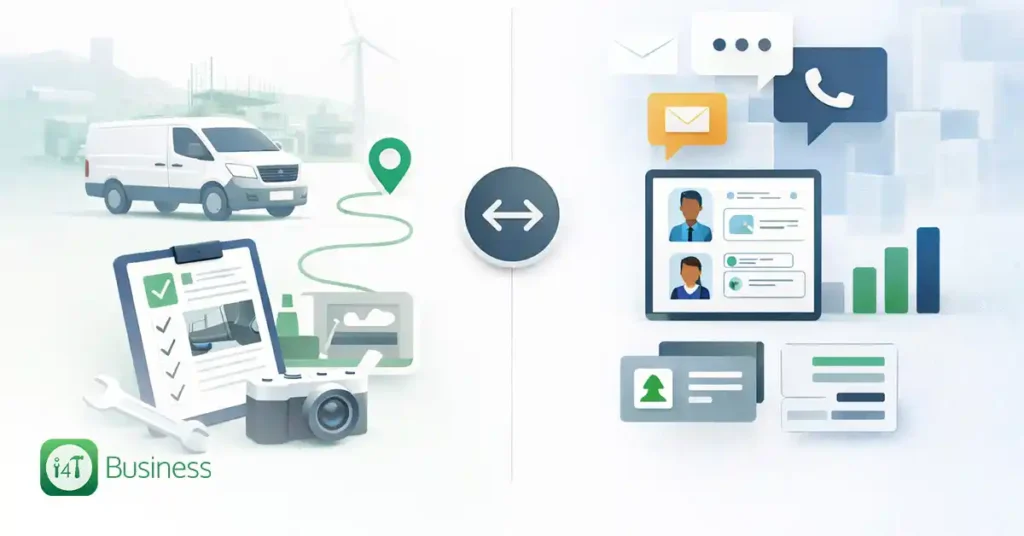
A CRM (Customer Relationship Management) system is built to track customer details and interactions so you can win work and keep customers happy. Field service management (FSM) software is built to run field jobs end-to-end, scheduling and optimising techs, dispatching, supporting work orders, and keeping jobs moving from booking to completion.
CRM answers: “Who is the customer and what have we talked about?” Field service software solves: “How do we deliver the job profitably and smoothly?”
If you’ve ever looked at software for your trade business and thought, “don’t these all do the same thing?”, you’re not alone. “CRM”, “field service software”, “job management”, “FSM”, it can start to sound like alphabet soup.
Here’s the simple truth: a CRM helps you manage relationships and sales conversations. Field service software helps you manage on-site work and the day-to-day running of jobs. That’s the heart of the difference between field service software and CRM, and once you see it, choosing the right setup gets a whole lot easier.
What is a CRM?
A CRM is essentially your customer relationship brain. It stores contact details, notes, and your history with each customer, and helps you stay on top of follow-ups. In most CRM platforms, you’ll also see features aimed at sales and service workflows, think leads, opportunities, quotes, tasks, and reminders.
At its core, CRM is about managing interactions with current and potential customers so you can build better relationships and grow the business.
For a trade business, a CRM is handy when you’re doing a lot of:
- lead follow-up and quoting
- repeat sales like maintenance plans, upgrades, or renewals
- customer comms like emails, calls, and reminders
- pipeline tracking – what’s hot, what’s stalled and what’s won
What is field service software?
Field service software, often called field service management software, is built for the messy, real-world reality of getting work done across multiple jobs, days, sites, and people.
Gartner describes field service management as covering things like technician scheduling and optimisation, dispatching, delivering parts information to the field, and supporting technician processes and interactions.
IBM similarly breaks FSM down into practical building blocks like scheduling, dispatch management, and work order management from creation through completion to invoicing.
For tradies, this usually means software that’s strong on:
- booking and scheduling jobs
- dispatching and managing daily runs
- work orders, job notes, photos, checklists, signatures
- tracking time, materials, and job progress
- invoicing and job close-out
Field service vs CRM comparison
| Category | CRM | Field Service Software |
|---|---|---|
| Main goal | Manage customer relationships and sales/service interactions | Run field operations: schedule, dispatch, work orders, parts/process support |
| Best for | Leads, quoting, follow-ups, retention | Jobs, crews, onsite workflow, job-to-cash |
| “Core record” | Contact, account, lead/opportunity | Job/work order, schedule/assignment |
| Daily focus | Who needs a call? What’s the next step? | Who’s going where? What’s happening onsite? |
| Scheduling | Often, basic calendar/task scheduling | Optimised scheduling with dispatch built for field realities |
| Proof of work | Notes, emails, call logs | Photos, forms, checklists, signatures, completion steps |
| Reporting | Pipeline, conversion, follow-up speed | Utilisation, job duration, on-time performance, rework |
| Typical users | Office/admin, sales, customer service | Dispatch, office, and tradies/techs in the field |
The 7 key differences between CRM and FSM
1. The purpose: relationships vs job execution
CRM is built to manage relationships. Field service software is built to manage job delivery.
That difference sounds small, but it affects everything: the screens you see, how data is organised, and what the system “nudges” you to do next.
If you’re trying to grow through better follow-up, quoting, and customer communication, CRM is your friend. But if your pain is late arrivals, missed job notes, messy handovers, and “Where’s that invoice?”, you’re talking field service software territory, because it’s designed around running field work: scheduling, dispatching, and technician support.
In practice, a CRM helps you win the job. Field service software helps you deliver it.
2. The workflow: lead-to-sale vs job-to-cash
CRMs tend to think in a flow like: lead → opportunity → quote → follow-up → won/lost.
Field service software thinks in a flow like: booking → schedule → dispatch → onsite work → completion → invoice.
Tradies don’t just need to “track” work, they need to move work. A system that’s great at tracking conversations might not be great at managing callouts, running sheets, job notes, parts used, and variations.
If you’re spending more time chasing job details than doing jobs, your issue is usually job workflow, not customer relationship tracking.
3. Scheduling and dispatch: calendar features vs field optimisation
Most CRMs have calendars, tasks, and maybe even appointment booking. That’s fine for office appointments and basic follow-ups.
Field service management is specifically described as including technician scheduling, optimisation and dispatching. So when you compare field service vs CRM, scheduling is one of the biggest giveaways: FSM tools are built for dispatch logic; CRMs are built for relationship workflows.
In practice, a CRM calendar helps you remember to call someone. Field service software helps you run today’s jobs without chaos.
4. Work orders and proof of work: “notes” vs “job completion evidence”
CRMs are great at logging interactions: calls, emails, meetings, and notes. That’s valuable, but it’s not the same as work order management.
Field service software is designed around a work order, or job card, as the centre of the universe. For tradies, this often looks like:
- checklists (safety, compliance, scope checks)
- job notes and photos
- customer sign-off
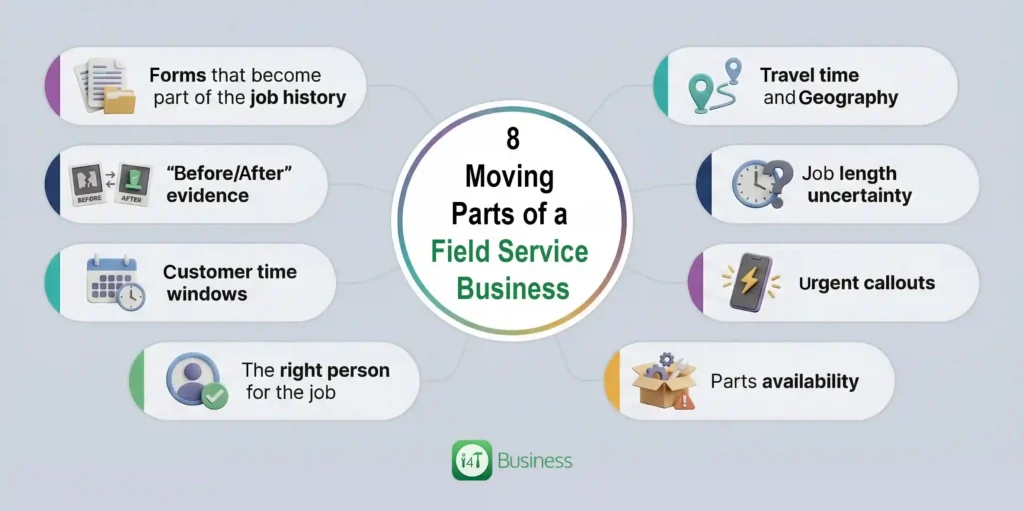
But field work is different. You’re juggling:
- travel time and geography
- job length uncertainty
- urgent callouts
- parts availability
- the right person for the job
- customer time windows
- “before/after” evidence
- forms that become part of the job history
In practice, if you ever need to prove what was done (or why extra work was required), field service software usually handles that more naturally than a CRM.
5. Field reality: mobile-first work vs office-first workflows
A lot of CRMs have mobile apps, and they can be great for quick notes and customer info. But they’re typically designed around office workflows: customer records, activities, and pipeline steps.
Field service software assumes your team is on the road and onsite, living out of their phones. That’s why FSM is commonly discussed in terms of supporting technicians and work orders in the field.
That often means:
- job details are easy to open on a phone
- notes/photos/signatures are quick to capture
- changes are easy to sync back to the office
- the job status updates are built into the flow
In practice, if your techs hate using the system, it’s usually because the tool wasn’t designed for field work.
6. Parts and preparedness: “customer data” vs “job readiness”
CRMs are customer-centric: they store details about people and interactions.
Field service software is job-centric: it helps you make sure the right person shows up with the right info and, ideally, the right parts.
Even for smaller trade businesses, this can be a game-changer:
- fewer “I need to come back tomorrow” moments
- less time wasted calling the office for info
- better consistency across the team
- smoother job completion and invoicing
In practice, if jobs are blowing out because techs aren’t arriving prepared, field service software solves that problem more directly than a CRM.
7. Reporting: sales metrics vs field performance
Both systems can report, but they report on different things.
CRMs shine with:
- pipeline value
- conversion rate
- follow-up performance
- customer engagement
Field service software is built for operational performance:
- technician utilisation
- average job duration
- on-time arrival trends
- rework or repeat visits
- job throughput and backlog
This lines up with what FSM is designed to coordinate: scheduling, dispatch, and field operations.
If you’re trying to answer “Where are we losing time and margin?”, field service reporting tends to be more useful than CRM reporting.
So, do you need a CRM, field service software, or both?
Here’s a simple way to decide without overthinking it.
You’ll need CRM if:
You’re quote-heavy and growth-focused – lots of leads, follow-ups, and sales motion. If your biggest pain is “We’re not calling people back fast enough” or “Quotes are falling through the cracks,” a CRM can help you tighten that up by tracking interactions and next steps.
You’ll need field service software if:
Your biggest pain is operations – scheduling, dispatch, job tracking, onsite paperwork, and getting invoices out reliably. Field service management is literally defined around these functions: scheduling, dispatching, work order support, and making sure the field team has what they need.
You’ll want both (or an all-in-one) if:
You’re growing, and you need a smooth handoff from “customer says yes” to “job is done and paid.” The sweet spot is when:
- Customer details don’t have to be entered twice
- Quotes can become jobs without rework
- Job completion info can inform future service and upsell opportunities
That’s where the difference between field service software and CRM stops being an either/or debate and becomes a “how do we connect the dots?” question.
How CRM and field service software work together
If you use both tools, the best setup is simple: CRM owns customer and sales context, FSM owns job delivery.
A clean handoff might look like this:
- A lead comes in, gets qualified, and receives a quote in the CRM.
- The quote becomes a booked job.
- Field service software schedules and dispatches the work, then captures onsite details.
- The job is completed, invoiced, and the customer history is updated for next time.
Done well, you get the best of both worlds, where sales follow-up doesn’t get lost, jobs don’t get messy, admin drops, and customers get a consistent experience.
And honestly, for tradies, that last point matters more than people think. Customers don’t care what system you use; they care that you show up when you said you would, do what you said you’d do, and invoice clearly.
The bottom line on field service vs CRM
A CRM helps sales teams manage customer relationships and sales/service interactions. Field service software helps field technicians manage service delivery- scheduling and optimising techs, dispatching, supporting work orders, and guiding onsite processes through to invoicing.
So when someone asks about the field service vs CRM debate, the real answer is: they’re built for different jobs. One manages the relationship. The other manages the work.
If you’re ready to cut the back-and-forth, keep jobs organised, and make the “book → complete → invoice” flow feel effortless, take a look at i4T Business. It’s built for Australian tradies who want job management that actually matches how field work runs, without turning your day into more admin. Plus,s it integrates seamlessly with i4T CRM, making the call to delivery handoff effortless!
FAQs
Not really. A customer relationship management CRM can track customers and follow-ups, but field service software is built to run jobs; scheduling, dispatch, work orders, and job completion. A CRM tool can improve everything from customer information, customer experience, customer journey and customer interaction, helping the entire sales cycle.
No. Even small teams benefit when jobs, notes, and invoicing are organised properly, especially once you’re juggling multiple bookings.
It means choosing the tool that solves your biggest pain: winning work (CRM) vs delivering work smoothly (field service software).
Picking a tool that’s great in the office but clunky in the field, so the team avoids using it, and the data becomes something you cannot count it.
Sometimes. If you’re doing lots of quoting and follow-up and running a busy schedule, you may use both or choose a platform that covers the full workflow.
Hot off the press!