

TL;DR
The essential integrations for field service software are the ones that remove admin, reduce scheduling chaos, and speed up invoicing and payments. For most tradies, these are the integrations that matter most:
- Accounting & invoicing (e.g., Xero/MYOB/QuickBooks-style)
- Payments (payment links, card payments, bank transfer options)
- CRM & lead capture (website forms, email enquiries, marketing tools)
- Mapping, GPS & route planning (navigation + travel time planning)
- Messaging & communications (SMS, email, VoIP/Teams)
- Inventory & parts (van stock + reordering/suppliers)
- Documents, photos & e-signature (compliance + approvals)
If you’re only going to start with two: Accounting/Invoicing and Payments. That combo typically delivers the fastest improvement in admin time and cash flow.
If you’re a tradie or service contractor, the job doesn’t finish when you pack up the ute. You’ve still got the admin tail: updating notes, sending invoices, chasing approvals, finding photos, checking stock, and following up on payments. Most of that pain isn’t because you’re doing something wrong; it’s because your tools don’t talk to each other.
This is where Integrations in FSM (Field Service Management) matter. The right integrations connect your field work to the office, so information moves automatically from enquiry → quote → job → sign-off → invoice → payment. Less double handling. Fewer mistakes. Faster cash flow. A calmer day.
Why integrations matter in field service software
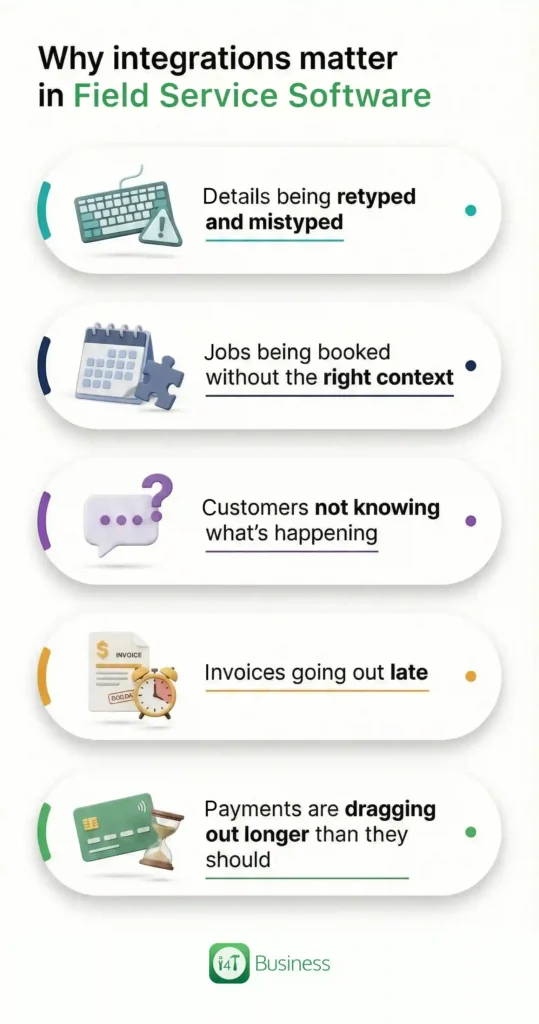
Integrations aren’t just “nice add-ons.” In field service, your work happens across multiple places at once: on site, in vehicles, in the office, and in the customer’s head. When data is split across apps, the cracks show up as:
- details being retyped and mistyped
- jobs being booked without the right context
- customers not knowing what’s happening
- invoices going out late
- payments are dragging out longer than they should
Integrations in FSM reduce those cracks by making your software behave like one connected system, even if you use multiple tools behind the scenes.
A good rule of thumb: the best integration is the one that removes a repeated task you do every day.
1. Accounting & invoicing integration
If you’re choosing only one integration, this is usually the one. Without it, your team ends up re-entering job details into accounting software, rebuilding invoices, fixing customer records, and cleaning up mismatched items.
That’s time you’ll never get back, and it’s also where mistakes creep in.
With a proper accounting integration, the invoice becomes a continuation of the job, not a separate “after-hours” activity. Job notes, labour, materials, call-out fees, and variations should flow into invoicing with minimal effort. That means invoices go out sooner, and getting paid starts sooner.
It also creates consistency. When customer records sync properly, you don’t end up with three versions of the same client. That stuff sounds minor until you’re trying to chase overdue invoices or understand repeat work.
What to look for in your accounting app:
- Customer/contact sync that prevents duplicates
- Invoices created from completed jobs or accepted quotes
- Clear invoice status visibility
2. Payments integration
A lot of trade businesses aren’t struggling to win work; they’re struggling with the gap between finishing a job and getting paid. Payment integrations reduce that gap by making it easy for customers to pay quickly.
Customers are most willing to pay right after the work is done, and they can see the result. The longer you wait to invoice (or the harder it is to pay), the more likely it turns into “later.” And “later” often becomes overdue.
Payment integrations typically help in two ways. First, they remove friction for customers by letting them pay directly from an invoice link. Second, they reduce admin workload by making payment tracking and reconciliation cleaner.
You don’t need to overcomplicate it. If your system can send an invoice immediately and the customer can pay in a couple of taps, you’ll feel the difference in cash flow.
3. CRM & lead capture integration
Leads don’t just disappear because you’re lazy. They disappear because they’re scattered. An enquiry comes through your website, another lands in email, another is a Facebook message, and a referral comes in as a quick phone call while you’re on a ladder.
A CRM + lead capture integration ensures enquiries go into one pipeline so follow-up is consistent. That’s the real value: consistency. Every enquiry becomes a record. Every record has a next step. Your team can see what’s been quoted, what’s waiting, and what needs chasing.
This is especially important when you’ve got more than one person handling admin or quoting. Without a shared system, follow-up becomes “whoever saw it first,” and things fall through the cracks. With integration, lead capture becomes part of your workflow, not a separate, messy bucket.
A quick, useful check when picking a CRM:
- Can you assign each lead to someone?
- Can you track the status from enquiry to booked job?
- Can you see the customer history when they call back?
4. Mapping, GPS & route planning integration
This one is about protecting your day. Travel time isn’t just fuel; it’s schedule stability. When scheduling ignores real travel time, it creates late arrivals, rushed jobs, and a domino effect that throws out the rest of the run.
Mapping and route planning integrations help you schedule based on reality. They support smarter job grouping by location, more accurate ETAs, and better use of time windows. This is also where your software starts helping you avoid operational headaches like trying to squeeze in “one more job” that doesn’t actually fit.
If your business is trying to scale, route planning becomes even more valuable. It’s one thing to manage a day in your head when it’s just you. It’s another thing when you’re coordinating multiple teams and trying to keep the whole operation on time.
This is also closely linked to reducing overlap and confusion. When your system can account for location and travel time, it’s easier to allocate jobs without accidentally stacking work on the same person or creating impossible runs.
5. Messaging & communications integration
Customers rarely get upset because you’re busy. They get upset because they don’t know what’s happening. Silence creates uncertainty, and uncertainty creates complaints.
Messaging integrations solve that by automating the communications customers actually care about: booking confirmation, reminders, “on the way,” and schedule changes. The big win is that this happens without your team manually typing the same messages all day.
The second win is internal: communication becomes part of the job record. That means if a customer calls the office, anyone can see what was sent, when, and what the customer replied. It reduces miscommunication and protects your team from “you never told me” arguments.
This is one of the best integrations for reducing no-shows and cutting the constant back-and-forth that steals time from your day.
6. Inventory, parts & supplier integration
Inventory can feel like something only large businesses need, until parts problems start driving your schedule. Missing parts create return visits. Return visits create extra bookings, extra travel, and unhappy customers. They also chew up the most precious resource you have: time slots.
Inventory integration helps you keep visibility over what’s in the warehouse and what’s in each vehicle. More importantly, it helps your team record what parts were used on a job without relying on memory at the end of the day.
This affects profitability too. If parts used aren’t captured accurately, job costing becomes guesswork. Guesswork leads to underquoting, margin creep, and that “we’re busy but not making enough” feeling.
A good inventory integration doesn’t have to be complex. For many tradies, “simple and accurate” beats “feature-rich and painful.”
7. Documents, photos & e-signature integration
This integration is about speed and protection. Photos, checklists, compliance forms, certificates, and approvals shouldn’t live in random places: personal phone galleries, email attachments, or paper folders in the ute.
When documents and photos are integrated into your job workflow, you gain two things:
- You can close jobs properly, with proof
- You can invoice faster because the sign-off happens immediately
For any business that deals with compliance, warranties, insurance claims, or customer disputes, this is not optional. It’s a safety net. It also improves customer experience because approvals are clear and professional.
If you’ve ever had a customer argue the scope of work or question what was completed, you’ll immediately understand why this one matters.
How to prioritise integrations
If you try to integrate everything at once, you can create complexity instead of simplicity. A better approach is to prioritise based on impact:
Start with the cash flow loop:
Accounting/invoicing + payments + sign-off documentation. These shorten the time between “job done” and “paid.”
Then stabilise the day-to-day run:
Mapping/route planning + messaging. These reduce late arrivals, chaos, and customer uncertainty.
Then tighten growth and efficiency:
CRM/lead capture + inventory. These prevent missed opportunities and reduce return visits.
This approach keeps your Integrations in FSM focused on outcomes, not features.
What to look for in any integration
Integrations can be brilliant, or a constant headache, depending on how they’re built. The best ones share a few traits:
They’re reliable, two-way where it matters, and transparent when something fails. If an integration silently stops syncing, it creates a mess you only notice later.
Key features to look for in any integration:
- Two-way sync for customers and key records where needed
- Mobile-friendly for field teams, not “desktop-only”
- Clear permissions so not everyone can change everything
- Error visibility so failed syncs don’t hide
- Workflow fit for how tradies actually operate in Australia
Common mistakes with essential integrations for field service software
The biggest mistake is choosing integrations based on a feature list instead of a workflow. Integration should follow the way you work, not force you into a new routine that nobody sticks to.
Another common issue is messy data. If your customer names and addresses are inconsistent before you integrate, syncing can multiply the mess. Getting the basics clean early saves a lot of pain later.
Finally, some businesses pick “one-way” integrations and call it done. If data can only be exported out but not updated both ways, you still end up reconciling manually, which defeats the point.
Choose Integrations in FSM that remove friction
The best essential integrations for field service software don’t just add convenience. They remove work that shouldn’t exist: retyping, chasing, guessing, and fixing preventable mistakes.
If you focus on the integrations that connect your workflow from enquiry to paid, accounting, payments, scheduling support, communications, inventory, and job documentation, your business starts to feel lighter. Jobs flow. Customers get clearer updates. Your team has fewer “where is that info?” moments. And cash flow improves because invoices and payments stop getting stuck.
If you’re ready to simplify your workflow and bring key Integrations in FSM together in a way that suits tradies, check out i4T Business. It’s built to help you run jobs end-to-end with less admin and more control, so you can spend more time on the tools and less time chasing paperwork.
FAQs
Accounting/invoicing, payments, CRM/lead capture, mapping/route planning, messaging/communications, inventory/parts, and documents/photos/e-signature.
Accounting/invoicing plus payments. Sending invoices faster and making payments easier usually reduces overdue accounts.
No. Start with the biggest bottleneck, usually invoicing and getting paid, then add scheduling and communications, then inventory and lead capture as you grow.
Mapping and route planning help with travel time planning and realistic time windows, and messaging keeps customers informed, both of which reduce knock-on delays and scheduling stress.
Look for reliability, mobile usability, two-way sync where required, clear permissions, and visibility when something fails so issues don’t stay hidden.
Hot off the press!